Of all the numbers in your home bakery business, one variable shapes every other: your hourly rate. Get it wrong and you’ll work yourself ragged for poverty wages. Get it right and baking becomes a business — not a guilt-laden hobby you charge too little for.
Let’s talk about what that number should actually look like, and why most home bakers have it dangerously low.
What Most Home Bakers Actually Charge
The uncomfortable truth? The majority of home bakers charge between $10–$12 per hour for their labor — if they count it at all. Many bakers don’t assign any hourly rate, just covering ingredient costs and calling it a win.
This isn’t sustainable, and it isn’t fair — to you or to other bakers in your market who are trying to price professionally.
“Most skilled home bakers should charge at least $20–$35 per hour. Anything less and you’re subsidizing your customers.”
How to Actually Set Your Rate
Forget what the baker down the street charges. Your hourly rate should be based on three things:
Your skill level. A home baker with 5 years of cake decorating experience is not worth minimum wage. Price accordingly.
Your local market rate. What do professional bakers and bakeries in your area charge? You are competing in that market.
Your income goal. Back into your rate from what you actually need to earn.
The Minimum Rate Formula
Target Monthly Income ÷ Billable Hours = Minimum Hourly Rate
For example: if you want to bring home $2,800/month and you have 100 billable hours available, your floor is $28/hr — before ingredient costs, overhead, or profit margin.
The Hidden Time Most Bakers Forget
Your hourly rate has to cover more than just oven time. Every one of these eats into your hours:
Recipe testing and development
Shopping for ingredients
Client communications and consultations
Packaging and labeling
Cleanup and reset time
Delivery or pickup coordination
Pro Tip
Track your actual time on an order — start to finish, including texts and emails. Most bakers discover they’re spending 30–50% more time than they estimated. That invisible time is costing you real money.
What the Range Should Look Like
Based on skill and market, here’s a reasonable framework:
New bakers, building a portfolio: $15–$18/hr (not less)
Experienced home bakers, consistent quality: $20–$28/hr
Specialty or custom work (wedding cakes, sculpted cakes, etc.): $30–$50/hr or more
These aren’t ceilings — they’re floors. If your market supports more, charge more.
Stop Leaving Money on the Table
Pricing your hourly rate properly is the first step. But doing the math for every order — accounting for ingredient costs, time, overhead, and markup — is where most bakers get stuck.
BatterSuite does the pricing math for you — so you can focus on baking, not spreadsheets.
Here’s a fact most home bakers don’t know: your KitchenAid stand mixer is potentially a tax-deductible business expense. So are your cake pans, offset spatulas, and food processor.
The IRS considers baking equipment a business asset when you run a home bakery. However, you have to track it properly. Here’s how to do that — no accounting degree required.
What Counts as Deductible Equipment
If you use it primarily for your baking business, it likely qualifies. For example, all of the following are eligible:
Stand mixers, hand mixers, food processors
Ovens and specialty appliances (convection oven, dehydrator, etc.)
Storage solutions (sheet pan racks, ingredient bins)
Important Note
Keep every receipt. Even $8 worth of piping tips adds up to real deductions over a year. The IRS wants documentation — a bank statement alone often isn’t enough.
Build Your Asset Log
An asset log is a running record of everything you’ve purchased for your bakery. You can keep it in a spreadsheet, a notebook, or an app. The key is to stay consistent.
Here’s the format to use:
Item
Date Purchased
Cost
Where Purchased
Business Use %
Notes
KitchenAid Stand Mixer 5qt
03/12/2025
$429.99
Williams Sonoma
100%
Primary mixing for all orders
Wilton 3-pc Round Pan Set
04/01/2025
$34.99
Amazon
100%
Used for tiered cakes
Piping tip variety set
04/18/2025
$8.50
Michaels
100%
Buttercream florals
Convection Countertop Oven
05/30/2025
$179.00
Costco
80%
Also used occasionally for personal
The Business Use % column is critical. If you use equipment for both personal and business baking, you can only deduct the business portion. Be honest here — the IRS looks for this.
Section 179 vs. Depreciation: The Simple Version
When deducting equipment, you generally have two options. Each works differently depending on the size of your purchase.
Section 179
Deduct the full cost of qualifying equipment in the year you bought it. This works best for items under a few thousand dollars. It’s simpler and faster — most home bakers should use this for smaller purchases.
Depreciation
Spread the deduction across the useful life of the asset — typically 5–7 years for kitchen equipment. This is more complex. However, it’s sometimes better for larger investments or higher-income years.
“For most home bakers with equipment purchases under $2,500, Section 179 is the simpler and smarter path — deduct it all in the year you bought it.”
What to Do Right Now
Getting started takes less than an hour. First, open a spreadsheet and start your asset log — even for items purchased this year. Next, go through your bank and credit card statements for the past 12 months. Flag any bakery equipment purchases you find.
Then take these final steps:
Photograph or scan every receipt and save them in a dedicated folder (digital is fine)
Note the business use percentage for anything you also use personally
Pro Tip
Talk to a CPA or tax professional who works with small food businesses before filing. Equipment deductions have rules and thresholds that vary by your business structure and income. This post is for informational purposes only — not tax advice.
What BatterSuite Helps With
BatterSuite is built to track your ingredient costs and pricing per order — not a full accounting suite. For equipment and asset tracking, your best friends are a simple spreadsheet and a good tax pro.
That said, getting your ingredient costs, recipe pricing, and order profitability dialed in? That’s exactly what BatterSuite is built for.
Stop guessing at your numbers. BatterSuite makes bakery pricing clear and simple.
Starting a home bakery in New Jersey is more accessible than most bakers realize. Thanks to the NJ Cottage Food Industry Act, you can legally sell baked goods made in your home kitchen. No commercial kitchen required.
Here’s everything you need to know to get started on the right foot.
What You Can Sell
The Cottage Food Act covers shelf-stable, non-potentially hazardous foods. In short, these are products that don’t require refrigeration to stay safe. Allowed items include:
Baked goods (cakes, cookies, breads, muffins, pies with fruit or nut fillings)
Jams, jellies, and preserves
Candy and confections
Dry mixes (pancake mix, cookie mix, etc.)
Honey and pure maple syrup
Roasted nuts and trail mixes
What about buttercream? Standard American buttercream — butter plus powdered sugar — is generally shelf-stable and is allowed. Cream cheese frosting, however, is not. It contains dairy that requires refrigeration, which puts it outside cottage food rules.
Products with fresh fruit fillings or dairy-based fillings
Sales Limits
New Jersey caps cottage food sales at $50,000 gross revenue per year. For most home bakers, that’s a generous ceiling with plenty of room to grow.
Heads Up: Approaching the Cap?
If you’re getting close to $50,000, it’s time to look at renting a licensed commercial kitchen. That move unlocks wholesale, retail, and larger-volume production — none of which cottage food rules allow.
Where You Can Sell
NJ cottage food must be sold direct to the consumer. That means the person who buys from you is also the person who eats it. Approved sales channels include:
From your home (in-person pickup)
Farmers markets and farm stands
Roadside stands
Online orders with local delivery or pickup
Community events, craft fairs, pop-ups
Not Permitted
Selling to restaurants or cafés
Selling to grocery stores or retail shops
Wholesale or consignment arrangements
Shipping across state lines
The moment a restaurant or store sits between you and the customer, you’ve stepped outside cottage food territory.
Labeling Requirements
Every cottage food product sold in NJ must be properly labeled. Missing even one required element puts you out of compliance. Use this checklist every time you package an order.
Required Label Checklist
Product name (what it is — “Chocolate Chip Cookies,” not just “cookies”)
Complete ingredient list (in descending order by weight)
Major allergens (milk, eggs, wheat, soy, peanuts, tree nuts, fish, shellfish)
Net weight or net volume of the package
Your name and home address
This required statement: “Made in a Home Kitchen Not Inspected by the NJ Department of Agriculture”
A clean, printed label on each package is the professional move. It also keeps you legally protected.
Registration with the NJ Dept of Agriculture
Before you sell your first item, you must register with the New Jersey Department of Agriculture. The good news: registration is free and straightforward.
You’ll submit basic information about yourself and the types of products you plan to sell. Registration does not involve any inspection of your home kitchen — that’s the whole point of cottage food. Keep your confirmation on file in case questions come up at a farmers market or event.
Should You Form an LLC?
Legally, you can operate as a sole proprietor. However, forming an LLC (Limited Liability Company) is worth the small upfront cost. Here’s why:
Separates your personal assets from your business liability
Looks more professional to customers and partners
Makes it easier to open a business bank account
Simple to file in NJ (New Jersey Division of Revenue)
An LLC won’t protect you from food safety negligence. In addition, it does provide a meaningful layer of protection for general business risk. Most serious home bakers make this move within their first year.
Ready to Run It Like a Business?
Getting the legal side sorted is step one. Step two is making sure your orders, pricing, and customer info don’t live in three different spreadsheets.
BatterSuite is built specifically for home bakers. It handles recipe costing, order management, invoicing, and more — all in one place.
When you first start taking orders, a spreadsheet feels perfectly fine. You’ve got a tab for orders, maybe one for recipes, and a notes app full of DMs with customer requests. For a handful of orders a month, it honestly works.
But at some point, the cracks start to show. The question isn’t whether you’ll outgrow your spreadsheet — it’s recognizing when you already have.
Starting with Spreadsheets Is Normal
Three to five orders a month is a sweet spot for spreadsheets. The volume is low enough that you can keep everything in your head, and the overhead of learning new software isn’t worth it yet. If that’s where you are, stay there until you’re not.
The pivot point is growth. Not just more orders — more complexity. More customers to remember. More recipes with varying ingredient costs. More payment pickups and follow-ups. More decisions happening faster than your spreadsheet can keep up.
Signs You’ve Outgrown Your Spreadsheet
Be honest with yourself as you read through this list.
Signs You’ve Outgrown Your Spreadsheet
You’ve forgotten an order — or almost did
Pricing a custom order takes you 5+ minutes of calculation
You’re not sure if you’re actually making money after supplies
You’re collecting payment at pickup (no invoice, no record)
Customer info lives across texts, DMs, emails, and sticky notes
You’ve had to ask a repeat customer what they ordered last time
You don’t know your best-selling item by revenue — just by feeling
Reorder season hits and you have no idea how much you produced last year
If you checked three or more of those, your spreadsheet is costing you — in time, in money, and in professionalism.
The real cost of a disorganized system isn’t just wasted time. It’s the customer who didn’t reorder because the experience felt amateur, and the batch you priced too low because you guessed at your costs.
What Real Business Software Actually Does
Software built for small food businesses goes well beyond a fancy spreadsheet. Here’s what it handles:
Recipe costing: Enter your ingredients and quantities once — the software calculates your cost per unit automatically, even when ingredient prices change.
Pricing calculator: Set your labor rate and markup, and get a suggested selling price for every item you make.
Order management: Every order in one place — customer name, items, quantity, due date, delivery method, payment status.
Invoicing: Send professional invoices and collect payment before pickup, not at the door.
Customer database: Full order history for every customer, so you always know what they’ve ordered and loved.
Financial reporting: Monthly revenue, cost of goods, profit margin — at a glance, not a calculation session.
Not All Software Is the Same
There’s a big difference between general-purpose tools and software built for bakers. Here’s how they compare:
Feature
Generic Tools (QuickBooks, Notion, Google Sheets)
Baking-Specific (BatterSuite)
Recipe costing
Manual formulas required
Built-in, automatic
Ingredient price updates
Update every formula by hand
Update once, recalculates everywhere
Order management
Bolt-on workarounds
Purpose-built for bakery orders
Pricing guidance
None
Suggested price based on cost + labor
Customer history
Spreadsheet row or CRM subscription
Attached to every order automatically
Learning curve
High — built for general accounting
Low — built for your exact workflow
The Real Cost of Not Having Software
What staying on spreadsheets actually costs you:
📦
Lost orders — A forgotten order doesn’t just cost you that sale. It costs you that customer, potentially for good.
💸
Chronic underpricing — Without accurate recipe costing, most bakers undercharge by 15–30%. That’s real money left on every batch.
🧾
Missed tax deductions — If you can’t pull a clean expense report, you can’t claim what you spent. Ingredient receipts in a shoebox don’t count.
🔥
Owner burnout — The mental overhead of managing everything manually grows faster than your order volume. At some point, the business stops being fun.
So — Do You Need Real Software?
If you’re doing fewer than 8 orders a month and not planning to grow beyond that, you can likely stay on your current system a little longer.
But if you’re doing 8+ orders a month, pricing custom orders regularly, managing repeat customers, or have any ambition to scale — yes. You need real software. The cost of the tool is far smaller than the cost of running without it.
The goal isn’t to complicate your business. It’s to give you back the mental space to do what you actually love: bake.
Your complete 2026 state-by-state guide to cottage food laws
Before you sell your first box of cookies, brownies, or artisan bread, you need to understand the rules. Cottage food laws govern exactly what you can legally bake and sell from your home kitchen — and they vary dramatically from state to state. This guide breaks down what you need to know.
What Are Cottage Food Laws?
Cottage food laws are state-level regulations that allow individuals to produce and sell certain food products made in a home kitchen — without the licensing requirements of a commercial food facility. They exist to lower the barrier to entry for small, home-based food businesses.
The name comes from the idea of a “cottage industry” — small-scale, home-based production. These laws typically cover shelf-stable, low-risk foods like baked goods, jams, and candies, but the specifics differ wildly by state.
Key Takeaways
Cottage food laws vary by state — there is no federal standard
Most states allow baked goods, jams, candy, and other shelf-stable foods
Revenue caps range from $25k to unlimited depending on your state
Some states require permits or registration; others need nothing
Online and indirect sales are allowed in some states, prohibited in others
Labeling requirements almost always apply — even for informal sales
The 6 Dimensions That Matter
When evaluating your state’s cottage food law — or comparing states — focus on these six dimensions:
Permitted Foods — What categories of food can you legally sell? Most states allow shelf-stable baked goods and jams; fewer allow anything with meat, dairy, or refrigeration.
Sales Channels — Can you sell direct-to-consumer only (farmers markets, roadside)? Online? Through retailers? Wholesale?
Revenue Caps — Many states cap annual gross sales. Caps range from $25,000 to unlimited (no cap).
Labeling Requirements — Nearly every state requires a label with your name, address, product name, ingredients, allergens, and a “made in a home kitchen” disclaimer.
Permits & Registration — Some states require a permit, license, or registration with the state dept of agriculture. Others require nothing beyond making and selling.
Kitchen Inspections — A minority of states reserve the right to inspect your home kitchen. Most do not inspect at all.
“What’s perfectly legal in Texas could get you fined in Pennsylvania. Know your state before you sell a single cookie.”
Cottage Food Laws by State
Here’s a quick-reference breakdown of cottage food laws for 10 major states. Use this as a starting point — always verify current rules with your state department of agriculture.
Texas
Revenue Cap None
Sales Channels Direct + Online
Permit Required No
One of the most permissive states. Online sales and third-party delivery allowed. No cap on annual revenue. Baked goods, jams, candy, roasted nuts, and more are all permitted.
California
Revenue Cap $75,000 (Class B)
Sales Channels Direct + Online (Class B)
Permit Required Yes (Class B)
AB 626 created two tiers. Class A (up to $50k, direct sales only, no permit) and Class B (up to $75k, online + third-party, permit required). Microenterprise home kitchen operations are registered with the county.
New York
Revenue Cap $35,000
Sales Channels Direct only
Permit Required No
Covers non-potentially hazardous baked goods, jams, jellies, and candy. Must sell directly to end consumer — no retailers or online marketplaces. $35k annual gross cap.
Florida
Revenue Cap None
Sales Channels Direct + Online
Permit Required No
Very broad food list — baked goods, candies, jams, fruit pies, dry mixes, honey, and more. Online sales allowed. No revenue cap. One of the friendliest states for home bakers.
New Jersey
Revenue Cap $50,000
Sales Channels Direct only
Permit Required No
Passed cottage food law in 2021. Covers non-potentially hazardous foods. Must sell directly to consumers (farmers markets, home pickup). No online or third-party retailer sales. $50k cap.
Illinois
Revenue Cap $50,000
Sales Channels Direct + some online
Permit Required No
Allows baked goods, jams, honey, and more. $50k gross revenue cap. Direct-to-consumer required; some internet sales permitted if the product is picked up locally. No inspection required.
Pennsylvania
Revenue Cap None stated
Sales Channels Direct only
Permit Required Yes
One of the stricter states. Requires a Limited Food Establishment license. Home kitchen inspection is part of the process. Only shelf-stable, non-hazardous foods allowed. No online sales.
Ohio
Revenue Cap $35,000
Sales Channels Direct only
Permit Required No
Covers shelf-stable baked goods, jams, candy, and similar products. $35k annual revenue cap. Must sell directly to end consumers — no internet marketplace sales. No permit needed.
Michigan
Revenue Cap $25,000
Sales Channels Direct only
Permit Required No
Michigan has one of the lower caps at $25k/year. Allows non-potentially hazardous baked goods, jams, and candy. Direct sale to end consumer only. No permit, but proper labeling is required.
Georgia
Revenue Cap None
Sales Channels Direct + some indirect
Permit Required No (most foods)
No revenue cap and no permit for most cottage food categories. Broad list of permitted foods. Georgia’s laws are generally favorable for home bakers. Local county rules may vary.
⚠️ Important: Laws change frequently. The information above reflects best available data as of 2026, but cottage food regulations are updated regularly by state legislatures. Always verify current requirements directly with your state department of agriculture before making any business decisions. Don’t rely solely on this guide — or any single source.
Wherever You Are, Get Your Pricing Right
Understanding your state’s cottage food laws is step one. But knowing the rules doesn’t automatically make your business profitable. The second thing every home baker needs to get right is pricing.
Underpricing is the #1 reason cottage food businesses fail. You need to account for every ingredient, your time, packaging, and any fees or permits — and still leave room for a real profit margin.
Know Your Laws. Now Know Your Numbers.
BatterSuite’s recipe costing and order pricing tools are built specifically for home bakers — so you can price every order with confidence, no spreadsheets required.
I used to finish an order feeling pretty good about myself. The cake was beautiful, the client was happy, and I had managed to pull it off between school pickups and a full day of everything else. Then I’d sit down and actually run the numbers.
Ingredient costs I forgot to track. Packaging I bought in bulk and never counted. Overhead I vaguely waved at. And labor? I’d charge something that felt reasonable and hope for the best. Every time I did the honest math, the profit evaporated — or worse, flipped negative. I was finishing orders exhausted and essentially doing it for free.
That went on for longer than I’d like to admit. I kept thinking I just needed a better spreadsheet, or to get more organized, or to charge a little more. But the real problem was that I had no system. I was running a business on gut feel, and gut feel doesn’t pay the bills.
BatterSuite is the tool I built because that tool didn’t exist — not for home bakers, not at a price that made sense, and not in a way that didn’t require an accounting degree to use.
I wasn’t just undercharging. I was basically donating labor and calling it a business.
— Marcia, Founder of BatterSuite & SweetTube Academy
Here’s what BatterSuite actually does — and why each piece matters to the kind of baker I was before I built it.
01 — Recipe Costing
You Don’t Know Your Real Recipe Cost Until You Track Every Ingredient
Most bakers undercharge not because they’re bad at math, but because they’re missing data. You can’t cost a recipe you haven’t measured. BatterSuite gives you a proper ingredient library — with real costs, real units, and nutrition per 100g — so the math does itself once you set it up.
Ingredient library with unit cost, purchase unit, and nutrition data per 100g
Supplier connections so your costs stay current
Packaging tracking — boxes, ribbons, stickers, all of it counts
Recipe builder that auto-calculates cost per serving as you build
Nutrition data pulls through automatically from your ingredient library
Recipe costs update automatically when ingredient prices change
Shopping list generator tied directly to your recipes and orders
02 — Pricing
Pricing Is Where Most Cottage Bakers Leave Money on the Table
Knowing your cost is only half the equation. Pricing is where it all comes together — and where most bakers quietly leave hundreds of dollars on the table every month. BatterSuite has purpose-built pricing tools for the specific things cottage bakers actually sell.
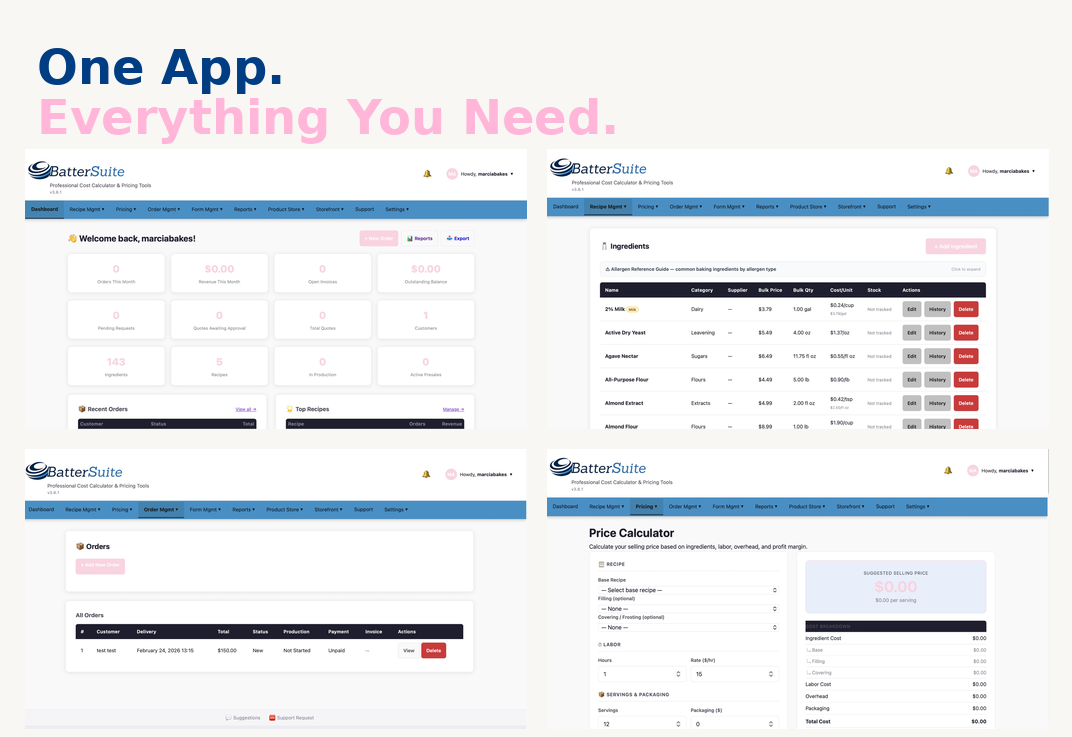
BatterSuite’s pricing calculators — built specifically for how cottage bakers actually sell.
General pricing calculator: cost + labor + overhead + profit margin in one view
Cake calculator for tiered and sculpted cakes with per-tier costing
Cookie tier tool for dozen pricing and bulk breaks
Add-ons pricing so custom requests don’t get forgotten
Configurable overhead — set it once and it applies everywhere
Seasonal pricing profiles so holiday rates are ready when you need them
Presales manager with quantity limits and collection slot controls
03 — Order Management
Orders Are Where Things Get Chaotic Without a System
When orders live in your DMs, your email, a notes app, and your memory simultaneously, something always falls through the cracks. BatterSuite brings the whole order lifecycle into one place — from the first inquiry to the completed delivery.
Custom intake forms that collect exactly what you need upfront
Quote-to-invoice workflow — no more back-and-forth over email
Order management with status tracking, delivery dates, and production info
Production schedule that auto-calculates start dates from your lead time
Ingredient pull sheets generated automatically from your production schedule
Customer database with full contact history and order records
04 — Storefront
You Have a Public Storefront, Whether You’re Ready for One or Not
Customers are already looking you up. BatterSuite gives you a real storefront — branded, organized, and on your terms — so when someone finds you, they find something professional instead of a pinned Instagram post from two years ago.
Public storefront with full branding controls (colors, logo, bio)
Availability calendar so customers see exactly when you’re open
Chat inbox for inquiries that come through your storefront
Product catalog for direct purchase (no third-party checkout needed)
Preview your storefront before publishing — nothing goes live until you’re ready
05 — Financials & Tax
The Money Part Nobody Talks About
Most cottage bakers don’t think about taxes until tax season, and by then the anxiety is real. BatterSuite keeps you informed year-round so there are no surprises — and no scrambling through receipts in April.
P&L report with charts, filterable by any date range
Federal self-employment tax estimate (15.3% × 92.35% of net profit)
Quarterly tax breakdowns so you know what to set aside
State income tax estimates for all 50 states
Custom rate override if your situation is different
Full data export so your accountant has what they need
06 — WhiskMail
WhiskMail: Email Marketing Built Right In
Social reach isn’t reliable. Your email list is an asset you own — and WhiskMail, BatterSuite’s built-in email tool, means you don’t need a separate platform to use it. Send presale announcements, seasonal menus, and customer updates without leaving the app.
Built-in campaign builder — no third-party email service required
Campaign scheduling, open rate, click rate, and bounce tracking
Audience management with opt-in status and suppression lists
GDPR and CASL-aware by default
Unsubscribe links auto-injected into every campaign — no manual setup
BatterSuite was built for the baker who is tired of finishing an order and realizing she worked for nothing. The underpricing, the chaotic order inbox, the tax anxiety that shows up every March, the presale that sold out before you could manage it — this tool was designed for all of it, because I lived all of it.
If you’re still pricing from gut feel or an old spreadsheet, it’s time for a better system. Try it free — no credit card, no commitment, no pressure.
Let me ask you something kind of embarrassing: how many cookie cutters do you own right now? Not a rough guess — the actual number. Do you know every mold in your collection? Every specialty pan you bought for that one order and then shoved in a bin somewhere?
Yeah. Me neither. Or at least, I didn’t for a long time.
If you’ve been baking for more than a year or two, you’ve probably hit that wall where your tools start multiplying faster than you can keep track of them. A cutter set here, a silicone mold there, a specialty cake pan from that one sale you couldn’t resist. Before you know it, you’re digging through bins trying to find the thing you know you have but cannot locate.
And here’s the part nobody talks about: that disorganization costs you real money.
The Problem Is More Common Than You Think
I was browsing CakeCentral forums (a rabbit hole I do not recommend at 10pm) and found a thread about organizing cookie cutters that had bakers describing their collections in the hundreds — one person mentioned having over 3,000 cutters. Three thousand. And the consensus in that thread? Almost everyone had bought duplicates by accident because they simply didn’t know what they already had.
One baker put it perfectly: she kept a list on her computer and wanted to add photos someday because when she’s talking to a customer, she needs to know exactly what shapes she can offer — fast. Another said she kept her inventory on a Palm Pilot (a Palm Pilot!) so she wouldn’t duplicate when she was out shopping.
These are resourceful people doing their best with whatever tools they have. But the underlying problem hasn’t changed in twenty years: there’s no good dedicated solution for tracking what baking equipment you actually own.
What Happens When You Don’t Track Your Tools
Here’s what the chaos actually looks like in practice — and I’ve lived most of these:
You buy duplicates. You’re at a craft store, you see a snowflake cutter, you think “I might have this but I’m not sure,” and you buy it anyway. Three dollars becomes thirty when it happens ten times a season.
You tell customers you can’t do something — when you actually can. A customer asks if you have a specific shape and you say no because you don’t remember that you bought it eighteen months ago. That’s a missed opportunity and a less-than-confident impression.
You waste time hunting instead of baking. Twenty minutes before you’re supposed to start an order is not the time to discover you can’t find the pan you needed. But that’s exactly when it happens.
You can’t accurately price your work. If you don’t know what equipment you have, you can’t account for the wear and replacement cost of those tools in your pricing. Your molds, cutters, and pans are business assets — they have value and they have a lifespan.
You keep buying storage solutions that don’t solve the root problem. Labeled bins are great. Pegboards are great. But physical organization alone doesn’t tell you what you own when you’re away from your workspace — like when you’re at a baking supply shop, on your phone, trying to remember if you already have a 6-inch hexagon pan.
What Bakers Are Actually Doing (And Why It’s Not Enough)
Scroll through any baking forum or Facebook group and you’ll see the workarounds people have cobbled together:
Spreadsheets are the most common answer. Google Sheets, Excel, whatever they have access to. It works — until it doesn’t. Spreadsheets require you to actually update them every time you buy something new (who has time for that?), they’re not built for photos, and they don’t surface information quickly when you’re mid-conversation with a customer.
Photo inventories on CDs or phones. Yes, people have been taking photos of their cutters and saving them to discs to carry around. It’s clever. It’s also a lot of manual effort for something that should be simple.
Memory and vibes. Honestly? Most people. Which is why duplicate buying is basically a rite of passage in this community.
General inventory apps. There are plenty of apps built for retail inventory or crafting supplies. They’ll do the job in a pinch, but they’re not built with bakers in mind. They don’t know what a silicone cavity mold is. They don’t have fields for “condition,” “size,” or “holiday theme.” You end up making the tool work for you instead of the other way around.
What Actually Needs to Exist
What bakers actually need — and what I kept wishing existed every time I dug through my own bins — is something built specifically for this. A way to catalog equipment by category, add photos right from your phone, note condition and quantity, and pull it up instantly when you’re talking to a customer or standing in an aisle trying not to buy something you already own.
That’s the entire reason I started building IcingVault.
IcingVault is a bakery equipment inventory tracker built for home bakers and cottage food operators. Not a general spreadsheet template you have to wrestle into shape. Not a big expensive software suite built for commercial kitchens. Something that actually makes sense for the way we work — where “inventory” means cookie cutters organized by season, silicone molds by cavity count, and cake pans by size and finish.
I’m still building it. I’ll be honest with you about that, because that’s how I operate here. But it’s being built by someone who has lived this exact frustration, not by a developer who googled “what do bakers need.”
In the Meantime: A Starting Point
If you want to start getting a handle on your equipment right now, here’s the simplest version that actually works:
Pick one category — just one. Cookie cutters, cake pans, silicone molds, whatever is causing you the most grief. Go through that category, take photos on your phone, and drop them into a Google Photos album labeled by theme or type. Add a quick note to each photo with size, material, and where you store it. That’s it. Imperfect and incomplete is still a thousand times better than nothing, and you can build from there.
The goal isn’t a perfect system on day one. It’s knowing what you have well enough to stop buying duplicates and start answering customer questions with confidence.
You Deserve Tools That Actually Work for You
One thing I’ve learned from running a real bakery is that the business side — the tracking, the pricing, the organizing — can quietly drain just as much energy as the baking itself. And when the tools don’t exist or aren’t built for people like us, we end up spending that energy on workarounds instead of on our actual craft.
That’s what SweetTube Academy is here to change. Not by telling you what the experts say. By figuring it out alongside you and building the tools we both need.
If IcingVault sounds like something you’ve been waiting for, head over sweettubeacademy.com/icingvault. And if you have a tool-tracking system that’s working for you right now — a spreadsheet, a method, anything — drop it in the comments. I genuinely want to know what you’re doing. It helps me build better.
When your last customer asked how much for a dozen custom cookies, where did that number come from? Did you calculate it — like, actually sit down and add up ingredients, time, overhead, and profit? Or did you kind of just… feel it out?
No judgment. I did the same thing for longer than I care to admit.
The problem is that “feeling it out” is quietly wrecking your business, and most bakers don’t realize it until they’re burned out, broke, or both.
Pricing Out of Thin Air
You need $45 for a dozen cookies. Why $45? Because it sounds reasonable. Because you’ve seen other bakers charge that. Because the customer seemed like they’d say yes at $45 but no at $55.
That’s not pricing. That’s guessing. And guessing means some orders make you money and some orders cost you money — and you have no idea which is which.
Real pricing starts with your actual costs: every cup of flour, every stick of butter, every food coloring drop, the piping bags, the boxes, the electricity running your oven. Add your time. Add a margin for profit. That is your price.
Copying a Competitor’s Price Without Knowing Their Math
This one is so common. You find a baker in your area charging $60 a dozen and you think, okay, I’ll charge $58 and undercut them a little.
But here’s what you don’t know: maybe they buy ingredients wholesale and their cost per dozen is $12. Maybe they work out of a licensed commercial kitchen they share with three other bakers. Maybe their $60 is wildly profitable. Maybe it’s not and they’re also struggling.
You’re matching a number with zero context. Your costs are yours. Your time is yours. Your price has to be built on your numbers, not theirs.
Forgetting to Pay Yourself
This one stings. A lot of us count ingredient costs, maybe packaging, and call it a day. Then we wonder why we’re exhausted and have nothing to show for it.
Your time is a cost. If you spend four hours on a cake order and you don’t factor in an hourly rate for yourself, you just worked for free. Actually, you paid to work — because your time has value, and you spent it without compensation.
You wouldn’t hire an employee and forget to pay them. Stop doing that to yourself.
Overpricing — and Not Knowing It
The flip side is real too. If your orders have slowed down and you’re not sure why, pricing might be the culprit — but not the way you think.
Sometimes bakers overprice because they overestimate how long things take, or they’re double-counting costs, or they never revisited prices after ingredient costs dropped. Overpricing isn’t just a lost sale. It erodes trust when customers compare you to others and can’t figure out why there’s such a gap.
Knowing your actual numbers tells you when you have room to be competitive and when you genuinely can’t go lower without losing money.
So… Are You a Spreadsheet Person?
For years, the answer for bakers was: build a spreadsheet. Add formulas. Update it every time ingredient prices change. Keep another tab for recipes. Cross-reference everything manually.
Some bakers are spreadsheet people. If that’s you and it’s working — genuinely, keep going.
But a lot of us are not spreadsheet people. And even the ones who are will admit that maintaining a pricing spreadsheet while also running a bakery is a lot. It’s one more thing to update, one more thing to lose track of, one more thing to feel behind on.
We Started With a Spreadsheet. Here’s Where We Ended Up.
That’s exactly where BatterSuite started — as my own spreadsheet. I was running Marcia’s Micro-Bakery, trying to track ingredient costs and figure out why some orders felt profitable and others felt like I was spinning my wheels.
I turned that spreadsheet into a WordPress plugin so other bakers could use it. And then I kept going.
BatterSuite is now a full SaaS app — and I mean full. A storefront, an ingredient library, a recipe builder, a price calculator that actually does the math for you, stock tracking, order management — all in one place. No more bouncing between tabs. No more outdated formulas. No more guessing.
And we’re not done. By the end of the year, the goal is to bring email marketing into the platform too — so you’d have everything you need to run and grow your baking business without ever leaving the app. I’m building it the way I wish it had existed when I was starting out.
What Knowing Your Numbers Actually Changes
When you price from data instead of gut feelings, a few things happen: you stop taking orders that lose you money, you quote prices confidently without second-guessing yourself, you know your floor so you know when to flex and when to hold the line — and you actually see profit at the end of the month.
That’s not a small thing. That’s the difference between a hobby that costs you money and a business that pays you.
Ready to Stop Guessing?
BatterSuite is live. If you’re tired of pricing by feel, copying numbers you don’t understand, or working hard without seeing it pay off — this was built for exactly that.
Stop guessing at your costs and start pricing profitably with this step-by-step overhead calculation system
If you’ve ever looked at your monthly expenses and wondered “How much of this should I add to each cake?” – you’re not alone. Most home bakers struggle with overhead calculation, leading to underpriced products and burnt-out bank accounts.
The truth? Overhead calculation isn’t hard – it just requires the right formula.
In this guide, you’ll learn the exact mathematical method professional bakeries use to calculate overhead costs, adapted specifically for home-based operations. No guesswork, no complicated accounting software – just straightforward math that ensures every product you sell contributes to covering your business expenses.
What Exactly IS Overhead?
Overhead costs are all the expenses required to run your baking business that aren’t directly tied to a single product.
Think of it this way:
Direct costs: Flour, sugar, eggs for a specific cake
Overhead costs: Your oven’s electricity, business insurance, packaging supplies, website hosting, kitchen equipment depreciation
Overhead is real money leaving your pocket every month, and if you’re not factoring it into your prices, you’re subsidizing your business with your personal funds.
The Home Baker’s Overhead Calculation Formula
Step 1: List ALL Your Monthly Business Expenses
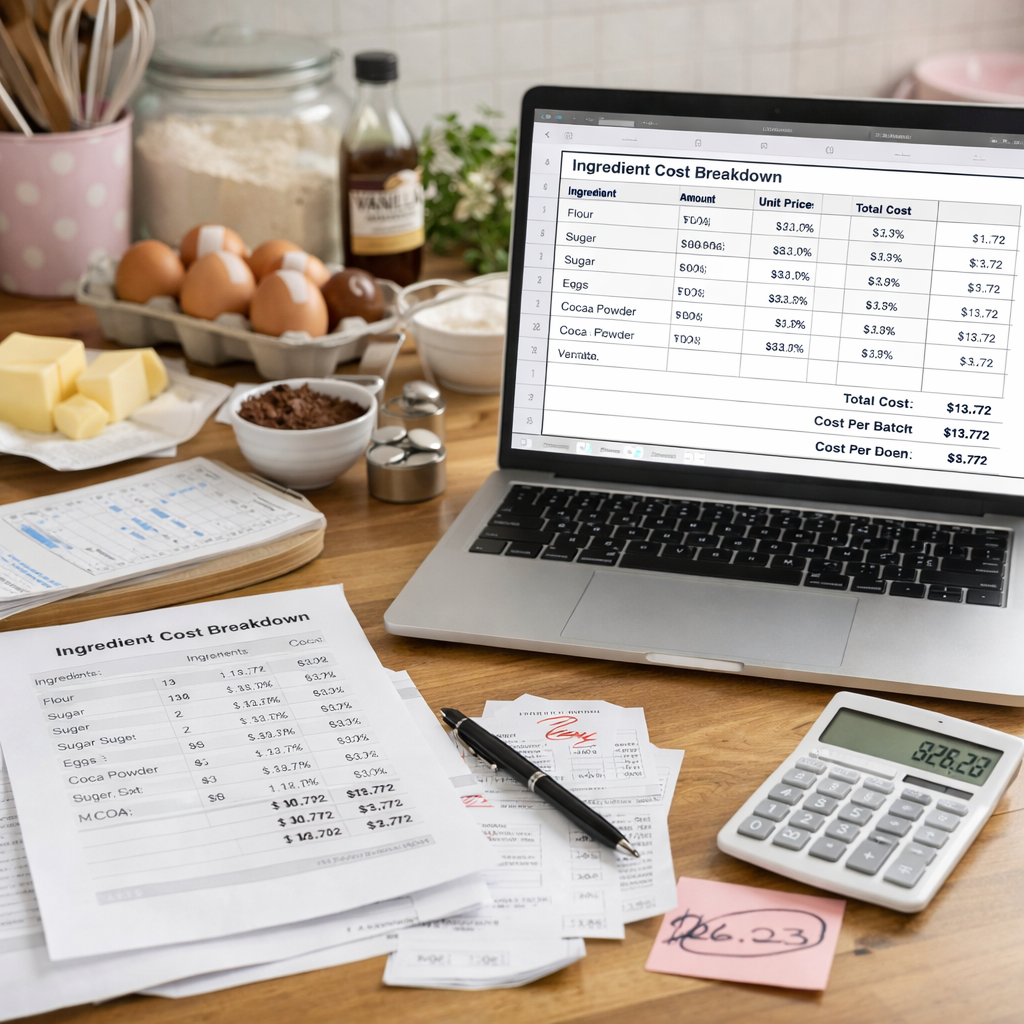
Create a comprehensive list of every expense your baking business generates each month. Be thorough – small expenses add up quickly.
Cookies require different overhead thinking than cakes because labor time varies dramatically based on decoration level. Let’s break down why custom cookies should cost $6+ each (and how to justify it).
⚠️ The Cookie Time Reality Check
Most bakers think cookies take 1 hour. They actually take 3+ hours for custom work.
Real Cookie Labor Breakdown (2 Dozen)
Mixing dough: 20 minutes
Rolling & cutting: 30 minutes
Baking (2-3 batches): 40 minutes
Cooling time: 15 minutes
Making royal icing: 20 minutes
Decorating 24 cookies: 60-90 minutes
Cleanup: 15 minutes
━━━━━━━━━━━━━━━━━━━━━━━━━━━━━━━━━━━━━━
TOTAL LABOR TIME: 3-3.5 hours
This is for custom decorated cookies. Plain or simply decorated cookies take less time, but most customer orders fall into the custom category.
✅ Market Reality: Custom decorated cookies from professional bakers typically sell for $4-10 per cookie. At $6.17, you’re competitively priced in the middle range.
Why Most Bakers Underprice Cookies
❌ The Wrong Math (What Most Bakers Do)
Ingredients: $7.00 × 3 = $21 for 2 dozen
Per dozen: $10.50
Per cookie: $0.88
This covers ONLY ingredients. No labor. No overhead. No profit.
✅ The Right Math (Professional Pricing)
Ingredients + Labor + Overhead + Profit = $148 for 2 dozen
Per dozen: $74
Per cookie: $6.17
This covers everything AND pays you properly for skilled work.
How to Justify $6+ Per Cookie Pricing
💬
1. Educate Your Customers
“Each cookie takes 7-10 minutes to hand-decorate with royal icing. That’s the same time an artist spends on a small painting. You’re not buying a cookie—you’re buying edible art.”
📸
2. Show Your Process
Post behind-the-scenes videos showing the 3+ hours of work. Time-lapse videos of decorating make customers understand the effort involved.
🎯
3. Target the Right Market
Focus on custom events (weddings, corporate, milestone birthdays) where customers value quality over price. Avoid competing with grocery store cookies.
🏆
4. Position as Premium
Use terms like “custom decorated,” “hand-piped,” “edible art,” “artisan cookies.” Professional branding, beautiful photos, and consistent quality justify premium prices.
📊
5. Offer Tiered Pricing
Give customers options: Simple decorated ($3.25), Standard custom ($4.50), Premium intricate ($6.17+). This shows value progression and lets budget-conscious customers self-select.
💡 Pro Tip: Minimum Order Requirements
Set a minimum of 1-2 dozen for custom cookies. Small orders (6 cookies) still take 2+ hours of work, which makes them unprofitable. Your time setting up, baking, and decorating is the same whether you make 6 or 24 cookies.
✅ The Bottom Line on Cookie Pricing
If you’re spending 3 hours decorating 2 dozen cookies and charging $40 ($1.67/cookie), you’re earning:
Manually tracking expenses is time-consuming. BatterSuite automates it all.
✅ Tracks all business expenses automatically
✅ Calculates equipment depreciation
✅ Updates overhead rates as expenses change
✅ Applies correct overhead to each product
✅ Shows exact costs including overhead
Marcia Rivera is the founder of SweetTube Academy and owner of Marcia’s Micro-Bakery in Beachwood, NJ. She’s been teaching home bakers profitable business practices since 2025.