♡ Free Resource: Get the Sweet Start Pricing Kit and start charging with confidence today! Get the Free Kit
Start Here

SweetTube Academy

Author: Marcia Dexter

  • Do You Actually Know What Baking Tools You Own? (Most of Us Don’t)

    Let me ask you something kind of embarrassing: how many cookie cutters do you own right now? Not a rough guess — the actual number. Do you know every mold in your collection? Every specialty pan you bought for that one order and then shoved in a bin somewhere?

    Yeah. Me neither. Or at least, I didn’t for a long time.

    If you’ve been baking for more than a year or two, you’ve probably hit that wall where your tools start multiplying faster than you can keep track of them. A cutter set here, a silicone mold there, a specialty cake pan from that one sale you couldn’t resist. Before you know it, you’re digging through bins trying to find the thing you know you have but cannot locate.

    And here’s the part nobody talks about: that disorganization costs you real money.

    The Problem Is More Common Than You Think

    I was browsing CakeCentral forums (a rabbit hole I do not recommend at 10pm) and found a thread about organizing cookie cutters that had bakers describing their collections in the hundreds — one person mentioned having over 3,000 cutters. Three thousand. And the consensus in that thread? Almost everyone had bought duplicates by accident because they simply didn’t know what they already had.

    One baker put it perfectly: she kept a list on her computer and wanted to add photos someday because when she’s talking to a customer, she needs to know exactly what shapes she can offer — fast. Another said she kept her inventory on a Palm Pilot (a Palm Pilot!) so she wouldn’t duplicate when she was out shopping.

    These are resourceful people doing their best with whatever tools they have. But the underlying problem hasn’t changed in twenty years: there’s no good dedicated solution for tracking what baking equipment you actually own.

    What Happens When You Don’t Track Your Tools

    Here’s what the chaos actually looks like in practice — and I’ve lived most of these:

    You buy duplicates. You’re at a craft store, you see a snowflake cutter, you think “I might have this but I’m not sure,” and you buy it anyway. Three dollars becomes thirty when it happens ten times a season.

    You tell customers you can’t do something — when you actually can. A customer asks if you have a specific shape and you say no because you don’t remember that you bought it eighteen months ago. That’s a missed opportunity and a less-than-confident impression.

    You waste time hunting instead of baking. Twenty minutes before you’re supposed to start an order is not the time to discover you can’t find the pan you needed. But that’s exactly when it happens.

    You can’t accurately price your work. If you don’t know what equipment you have, you can’t account for the wear and replacement cost of those tools in your pricing. Your molds, cutters, and pans are business assets — they have value and they have a lifespan.

    You keep buying storage solutions that don’t solve the root problem. Labeled bins are great. Pegboards are great. But physical organization alone doesn’t tell you what you own when you’re away from your workspace — like when you’re at a baking supply shop, on your phone, trying to remember if you already have a 6-inch hexagon pan.

    What Bakers Are Actually Doing (And Why It’s Not Enough)

    Scroll through any baking forum or Facebook group and you’ll see the workarounds people have cobbled together:

    Spreadsheets are the most common answer. Google Sheets, Excel, whatever they have access to. It works — until it doesn’t. Spreadsheets require you to actually update them every time you buy something new (who has time for that?), they’re not built for photos, and they don’t surface information quickly when you’re mid-conversation with a customer.

    Photo inventories on CDs or phones. Yes, people have been taking photos of their cutters and saving them to discs to carry around. It’s clever. It’s also a lot of manual effort for something that should be simple.

    Memory and vibes. Honestly? Most people. Which is why duplicate buying is basically a rite of passage in this community.

    General inventory apps. There are plenty of apps built for retail inventory or crafting supplies. They’ll do the job in a pinch, but they’re not built with bakers in mind. They don’t know what a silicone cavity mold is. They don’t have fields for “condition,” “size,” or “holiday theme.” You end up making the tool work for you instead of the other way around.

    What Actually Needs to Exist

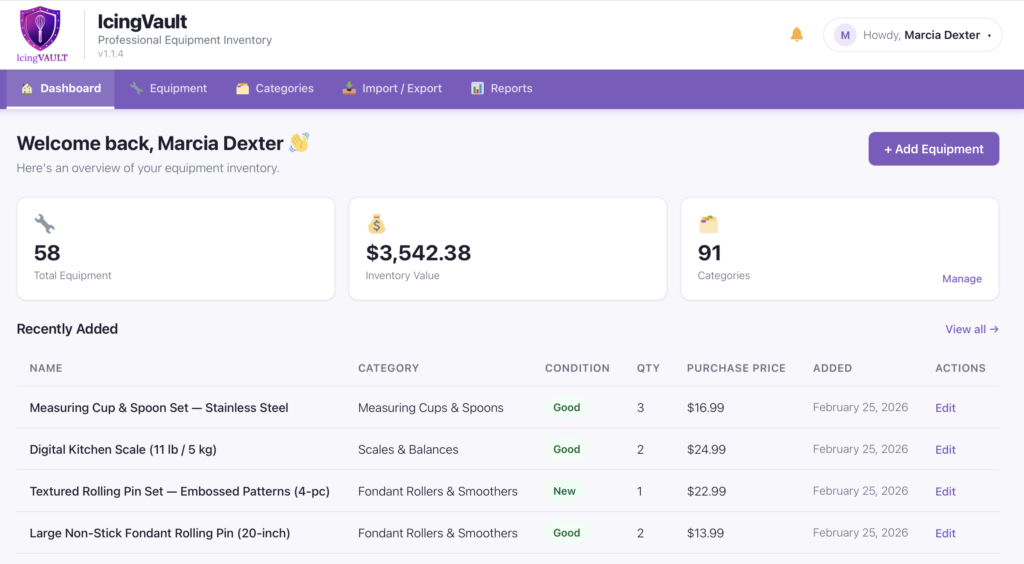
    What bakers actually need — and what I kept wishing existed every time I dug through my own bins — is something built specifically for this. A way to catalog equipment by category, add photos right from your phone, note condition and quantity, and pull it up instantly when you’re talking to a customer or standing in an aisle trying not to buy something you already own.

    That’s the entire reason I started building IcingVault.

    IcingVault is a bakery equipment inventory tracker built for home bakers and cottage food operators. Not a general spreadsheet template you have to wrestle into shape. Not a big expensive software suite built for commercial kitchens. Something that actually makes sense for the way we work — where “inventory” means cookie cutters organized by season, silicone molds by cavity count, and cake pans by size and finish.

    I’m still building it. I’ll be honest with you about that, because that’s how I operate here. But it’s being built by someone who has lived this exact frustration, not by a developer who googled “what do bakers need.”

    In the Meantime: A Starting Point

    If you want to start getting a handle on your equipment right now, here’s the simplest version that actually works:

    Pick one category — just one. Cookie cutters, cake pans, silicone molds, whatever is causing you the most grief. Go through that category, take photos on your phone, and drop them into a Google Photos album labeled by theme or type. Add a quick note to each photo with size, material, and where you store it. That’s it. Imperfect and incomplete is still a thousand times better than nothing, and you can build from there.

    The goal isn’t a perfect system on day one. It’s knowing what you have well enough to stop buying duplicates and start answering customer questions with confidence.

    You Deserve Tools That Actually Work for You

    One thing I’ve learned from running a real bakery is that the business side — the tracking, the pricing, the organizing — can quietly drain just as much energy as the baking itself. And when the tools don’t exist or aren’t built for people like us, we end up spending that energy on workarounds instead of on our actual craft.

    That’s what SweetTube Academy is here to change. Not by telling you what the experts say. By figuring it out alongside you and building the tools we both need.

    If IcingVault sounds like something you’ve been waiting for, head over Ā sweettubeacademy.com/icingvault. And if you have a tool-tracking system that’s working for you right now — a spreadsheet, a method, anything — drop it in the comments. I genuinely want to know what you’re doing. It helps me build better.

    We’re in this together.

    — Marcia

    Ā 

  • Are You Pricing Out of Thin Air? Here’s What That’s Costing You

    Let me ask you something uncomfortable.

    When your last customer asked how much for a dozen custom cookies, where did that number come from? Did you calculate it — like, actually sit down and add up ingredients, time, overhead, and profit? Or did you kind of just… feel it out?

    No judgment. I did the same thing for longer than I care to admit.

    The problem is that “feeling it out” is quietly wrecking your business, and most bakers don’t realize it until they’re burned out, broke, or both.

    Pricing Out of Thin Air

    You need $45 for a dozen cookies. Why $45? Because it sounds reasonable. Because you’ve seen other bakers charge that. Because the customer seemed like they’d say yes at $45 but no at $55.

    That’s not pricing. That’s guessing. And guessing means some orders make you money and some orders cost you money — and you have no idea which is which.

    Real pricing starts with your actual costs: every cup of flour, every stick of butter, every food coloring drop, the piping bags, the boxes, the electricity running your oven. Add your time. Add a margin for profit. That is your price.

    Copying a Competitor’s Price Without Knowing Their Math

    This one is so common. You find a baker in your area charging $60 a dozen and you think, okay, I’ll charge $58 and undercut them a little.

    But here’s what you don’t know: maybe they buy ingredients wholesale and their cost per dozen is $12. Maybe they work out of a licensed commercial kitchen they share with three other bakers. Maybe their $60 is wildly profitable. Maybe it’s not and they’re also struggling.

    You’re matching a number with zero context. Your costs are yours. Your time is yours. Your price has to be built on your numbers, not theirs.

    Forgetting to Pay Yourself

    This one stings. A lot of us count ingredient costs, maybe packaging, and call it a day. Then we wonder why we’re exhausted and have nothing to show for it.

    Your time is a cost. If you spend four hours on a cake order and you don’t factor in an hourly rate for yourself, you just worked for free. Actually, you paid to work — because your time has value, and you spent it without compensation.

    You wouldn’t hire an employee and forget to pay them. Stop doing that to yourself.

    Overpricing — and Not Knowing It

    The flip side is real too. If your orders have slowed down and you’re not sure why, pricing might be the culprit — but not the way you think.

    Sometimes bakers overprice because they overestimate how long things take, or they’re double-counting costs, or they never revisited prices after ingredient costs dropped. Overpricing isn’t just a lost sale. It erodes trust when customers compare you to others and can’t figure out why there’s such a gap.

    Knowing your actual numbers tells you when you have room to be competitive and when you genuinely can’t go lower without losing money.

    So… Are You a Spreadsheet Person?

    For years, the answer for bakers was: build a spreadsheet. Add formulas. Update it every time ingredient prices change. Keep another tab for recipes. Cross-reference everything manually.

    Some bakers are spreadsheet people. If that’s you and it’s working — genuinely, keep going.

    But a lot of us are not spreadsheet people. And even the ones who are will admit that maintaining a pricing spreadsheet while also running a bakery is a lot. It’s one more thing to update, one more thing to lose track of, one more thing to feel behind on.

    We Started With a Spreadsheet. Here’s Where We Ended Up.

    That’s exactly where BatterSuite started — as my own spreadsheet. I was running Marcia’s Micro-Bakery, trying to track ingredient costs and figure out why some orders felt profitable and others felt like I was spinning my wheels.

    I turned that spreadsheet into a WordPress plugin so other bakers could use it. And then I kept going.

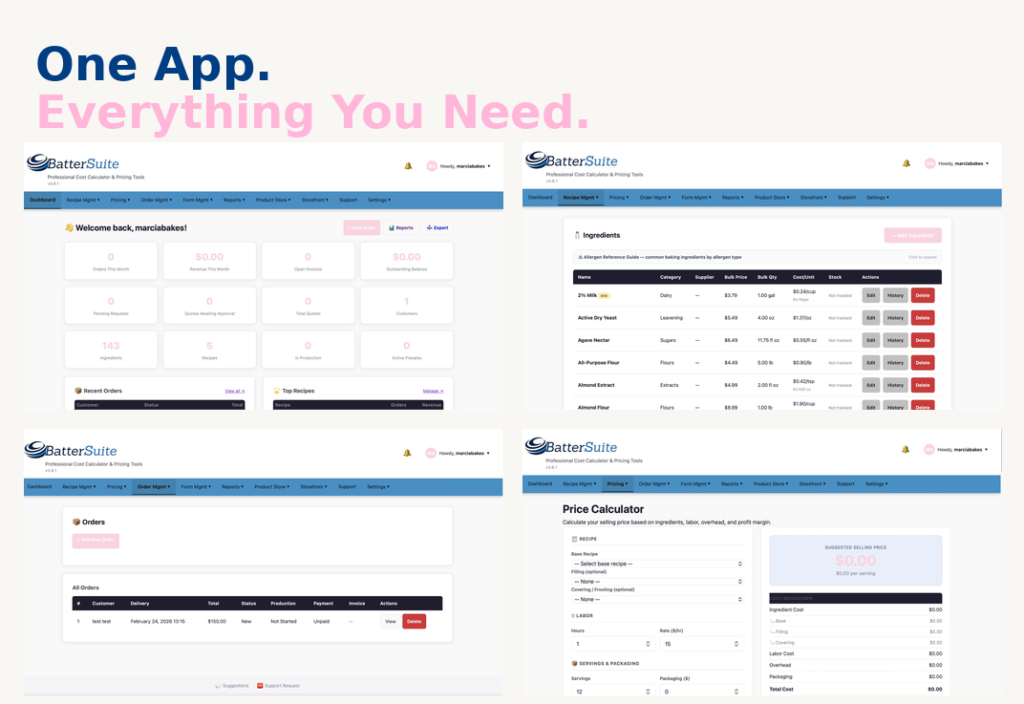
    BatterSuite is now a full SaaS app — and I mean full. A storefront, an ingredient library, a recipe builder, a price calculator that actually does the math for you, stock tracking, order management — all in one place. No more bouncing between tabs. No more outdated formulas. No more guessing.

    And we’re not done. By the end of the year, the goal is to bring email marketing into the platform too — so you’d have everything you need to run and grow your baking business without ever leaving the app. I’m building it the way I wish it had existed when I was starting out.

    What Knowing Your Numbers Actually Changes

    When you price from data instead of gut feelings, a few things happen: you stop taking orders that lose you money, you quote prices confidently without second-guessing yourself, you know your floor so you know when to flex and when to hold the line — and you actually see profit at the end of the month.

    That’s not a small thing. That’s the difference between a hobby that costs you money and a business that pays you.

    Ready to Stop Guessing?

    BatterSuite is live. If you’re tired of pricing by feel, copying numbers you don’t understand, or working hard without seeing it pay off — this was built for exactly that.

    Check out BatterSuite and get started →

    We’re building this together. And your prices should finally work for you.

  • How to Calculate Your Overhead as a Home Baker: The Complete Mathematical Guide

    How to Calculate Your Overhead as a Home Baker

    The Complete Mathematical Guide

    Stop guessing at your costs and start pricing profitably with this step-by-step overhead calculation system


    If you’ve ever looked at your monthly expenses and wondered “How much of this should I add to each cake?” – you’re not alone. Most home bakers struggle with overhead calculation, leading to underpriced products and burnt-out bank accounts.

    The truth? Overhead calculation isn’t hard – it just requires the right formula.

    In this guide, you’ll learn the exact mathematical method professional bakeries use to calculate overhead costs, adapted specifically for home-based operations. No guesswork, no complicated accounting software – just straightforward math that ensures every product you sell contributes to covering your business expenses.

    What Exactly IS Overhead?

    Overhead costs are all the expenses required to run your baking business that aren’t directly tied to a single product.

    Think of it this way:

    Direct costs: Flour, sugar, eggs for a specific cake

    Overhead costs: Your oven’s electricity, business insurance, packaging supplies, website hosting, kitchen equipment depreciation

    Overhead is real money leaving your pocket every month, and if you’re not factoring it into your prices, you’re subsidizing your business with your personal funds.


    The Home Baker’s Overhead Calculation Formula

    Step 1: List ALL Your Monthly Business Expenses

    Create a comprehensive list of every expense your baking business generates each month. Be thorough – small expenses add up quickly.

    Fixed Overhead (Same Every Month)

    • Business insurance
    • Website hosting
    • Business phone/internet portion
    • Software subscriptions
    • Business loan payments
    • Kitchen equipment lease/rental
    • Professional fees

    Variable Overhead (Changes Each Month)

    • Electricity (baking portion)
    • Gas (baking portion)
    • Water (baking portion)
    • Packaging supplies
    • Labels and stickers
    • Business mileage/delivery
    • Marketing/advertising
    • Equipment maintenance
    • Cleaning supplies

    Depreciation Formula

    Annual Depreciation = (Purchase Price – Resale Value) Ć· Lifespan Years
    Monthly Depreciation = Annual Depreciation Ć· 12

    šŸ’” Example:

    Stand mixer: $500
    Resale value: $100
    Lifespan: 5 years
    Annual: ($500-$100)Ć·5 = $80
    Monthly: $80Ć·12 = $6.67/month

    Step 2: Calculate Total Monthly Overhead

    Business Insurance:           $75
    Website & Email:              $30
    Utilities:                    $85
    Packaging:                    $120
    Labels:                       $40
    Depreciation:                 $25
    Marketing:                    $50
    Home Office:                  $180
    Cleaning:                     $30
    -----------------------------------
    TOTAL MONTHLY OVERHEAD:       $635


    Step 3: Calculate Overhead Per Product

    Three methods depending on your business:

    Method A: Per-Unit

    Best for high-volume bakers

    Overhead Per Unit = Total Monthly Overhead Ć· Units Sold

    Example: $635 Ć· 80 items = $7.94 per item


    Method B: Per-Hour

    Best for custom products

    Hourly Overhead = Monthly Overhead Ć· Hours Worked
    Product Overhead = Hourly Rate Ɨ Hours for Product

    $635 Ć· 60 hours = $10.58/hour
    Simple cake (2 hrs): $21.16
    Custom cake (8 hrs): $84.64


    Method C: Percentage

    Best for recipe-based

    Overhead % = (Monthly Overhead Ć· Monthly Ingredients) Ɨ 100
    Product Overhead = Ingredients Ɨ Overhead %

    ($635 Ć· $1,200) Ɨ 100 = 53%
    Cake ($15 ingredients): $7.95 overhead
    Cookies ($8 ingredients): $4.24 overhead

    Special Case: Cookie Overhead & Pricing

    Cookies require different overhead thinking than cakes because labor time varies dramatically based on decoration level. Let’s break down why custom cookies should cost $6+ each (and how to justify it).

    āš ļø The Cookie Time Reality Check

    Most bakers think cookies take 1 hour. They actually take 3+ hours for custom work.

    Real Cookie Labor Breakdown (2 Dozen)

    Mixing dough:                 20 minutes
    Rolling & cutting:            30 minutes
    Baking (2-3 batches):         40 minutes
    Cooling time:                 15 minutes
    Making royal icing:           20 minutes
    Decorating 24 cookies:        60-90 minutes
    Cleanup:                      15 minutes
    ━━━━━━━━━━━━━━━━━━━━━━━━━━━━━━━━━━━━━━
    TOTAL LABOR TIME:             3-3.5 hours
    

    This is for custom decorated cookies. Plain or simply decorated cookies take less time, but most customer orders fall into the custom category.

    Cookie Pricing by Decoration Level

    Tier 1: Plain/Minimal Cookies

    Cut-out shapes, minimal decoration, basic sprinkles

    Labor Time: 1 hour for 2 dozen

    Ingredients:                  $7.00
    Labor (1 hr @ $25):          $25.00
    Overhead (1 hr @ $10.58):    $10.58
    ━━━━━━━━━━━━━━━━━━━━━━━━━━━━━━━━━
    Subtotal:                    $42.58
    Profit (30%):                $12.77
    ━━━━━━━━━━━━━━━━━━━━━━━━━━━━━━━━━
    TOTAL: $55 for 2 dozen
    
    Per Dozen: $27.50
    Per Cookie: $2.29
    

    Tier 2: Simply Decorated Cookies

    Basic royal icing, simple designs, 2-3 colors

    Labor Time: 1.5-2 hours for 2 dozen

    Ingredients:                  $7.00
    Labor (1.5 hrs @ $25):       $37.50
    Overhead (1.5 hrs @ $10.58): $15.87
    ━━━━━━━━━━━━━━━━━━━━━━━━━━━━━━━━━
    Subtotal:                    $60.37
    Profit (30%):                $18.11
    ━━━━━━━━━━━━━━━━━━━━━━━━━━━━━━━━━
    TOTAL: $78 for 2 dozen
    
    Per Dozen: $39
    Per Cookie: $3.25
    

    Tier 3: Custom Decorated Cookies ⭐

    Detailed royal icing, multiple colors, intricate designs, flooding & piping

    Labor Time: 3-3.5 hours for 2 dozen

    Ingredients:                  $7.00
    Labor (3 hrs @ $25):         $75.00
    Overhead (3 hrs @ $10.58):   $31.74
    ━━━━━━━━━━━━━━━━━━━━━━━━━━━━━━━━━
    Subtotal:                   $113.74
    Profit (30%):                $34.12
    ━━━━━━━━━━━━━━━━━━━━━━━━━━━━━━━━━
    TOTAL: $148 for 2 dozen
    
    Per Dozen: $74
    Per Cookie: $6.17
    

    āœ… Market Reality: Custom decorated cookies from professional bakers typically sell for $4-10 per cookie. At $6.17, you’re competitively priced in the middle range.

    Why Most Bakers Underprice Cookies

    āŒ The Wrong Math (What Most Bakers Do)

    Ingredients: $7.00 Ɨ 3 = $21 for 2 dozen
    Per dozen: $10.50
    Per cookie: $0.88

    This covers ONLY ingredients. No labor. No overhead. No profit.

    āœ… The Right Math (Professional Pricing)

    Ingredients + Labor + Overhead + Profit = $148 for 2 dozen
    Per dozen: $74
    Per cookie: $6.17

    This covers everything AND pays you properly for skilled work.

    How to Justify $6+ Per Cookie Pricing

    šŸ’¬

    1. Educate Your Customers

    “Each cookie takes 7-10 minutes to hand-decorate with royal icing. That’s the same time an artist spends on a small painting. You’re not buying a cookie—you’re buying edible art.”

    šŸ“ø

    2. Show Your Process

    Post behind-the-scenes videos showing the 3+ hours of work. Time-lapse videos of decorating make customers understand the effort involved.

    šŸŽÆ

    3. Target the Right Market

    Focus on custom events (weddings, corporate, milestone birthdays) where customers value quality over price. Avoid competing with grocery store cookies.

    šŸ†

    4. Position as Premium

    Use terms like “custom decorated,” “hand-piped,” “edible art,” “artisan cookies.” Professional branding, beautiful photos, and consistent quality justify premium prices.

    šŸ“Š

    5. Offer Tiered Pricing

    Give customers options: Simple decorated ($3.25), Standard custom ($4.50), Premium intricate ($6.17+). This shows value progression and lets budget-conscious customers self-select.

    šŸ’” Pro Tip: Minimum Order Requirements

    Set a minimum of 1-2 dozen for custom cookies. Small orders (6 cookies) still take 2+ hours of work, which makes them unprofitable. Your time setting up, baking, and decorating is the same whether you make 6 or 24 cookies.

    āœ… The Bottom Line on Cookie Pricing

    If you’re spending 3 hours decorating 2 dozen cookies and charging $40 ($1.67/cookie), you’re earning:

    $40 – $7 ingredients = $33 Ć· 3 hours = $11/hour before overhead

    You’re literally earning less than minimum wage. Charge what your skills, time, and business costs actually require: $6+ per custom cookie.


    Step 4: Final Product Price

    Price = Ingredients + Labor + Overhead + Profit

    šŸŽ‚ Complete Example:

    Ingredients: $22.00
    Labor (3hrs Ɨ $25): $75.00
    Overhead (3hrs Ɨ $10.58): $31.74
    Subtotal: $128.74
    Profit (30%): $38.62
    FINAL: $170

    How BatterSuite Calculates Overhead for You

    Manually tracking expenses is time-consuming. BatterSuite automates it all.

    āœ… Tracks all business expenses automatically
    āœ… Calculates equipment depreciation
    āœ… Updates overhead rates as expenses change
    āœ… Applies correct overhead to each product
    āœ… Shows exact costs including overhead

    Quick Overhead for Cakes & Cookies

    The SweetPrice Calculator WordPress plugin gives instant overhead-inclusive pricing for cakes and cookies.

    āœ… No more underpricing custom orders
    āœ… No manual calculations for quotes
    āœ… No guessing if you’re profitable
    āœ… Customers get instant accurate quotes


    FAQ

    Should I include my salary in overhead?

    No. Labor is separate. Overhead is business expenses only.

    What if overhead seems high?

    Common for small-volume bakers. Increase sales to spread costs across more units.

    How often recalculate?

    Every 3-6 months or when major changes occur.

    The Bottom Line

    Calculating overhead isn’t optional – it’s the difference between profit and hobby.

    Stop guessing. Start calculating. Price profitably.

    Questions? Email support@sweettubeacademy.com

    Marcia Rivera is the founder of SweetTube Academy and owner of Marcia’s Micro-Bakery in Beachwood, NJ. She’s been teaching home bakers profitable business practices since 2025.

  • How to Price Homemade Baked Goods: Real Questions From Home Bakers (And What to Do About It)

    If you’ve ever finished a big order, done the math, and felt your stomach drop — you already know the problem. Most home bakers are losing money without realizing it. Not because they’re bad at baking. Because they were never taught how to price homemade baked goods correctly.

    Across Reddit threads, CakeCentral forums, and cottage food Facebook groups, the same questions come up every single week. We pulled the most common ones and answered them honestly — including what the math actually looks like and how home baker pricing software like BatterSuite takes the guesswork out of it.

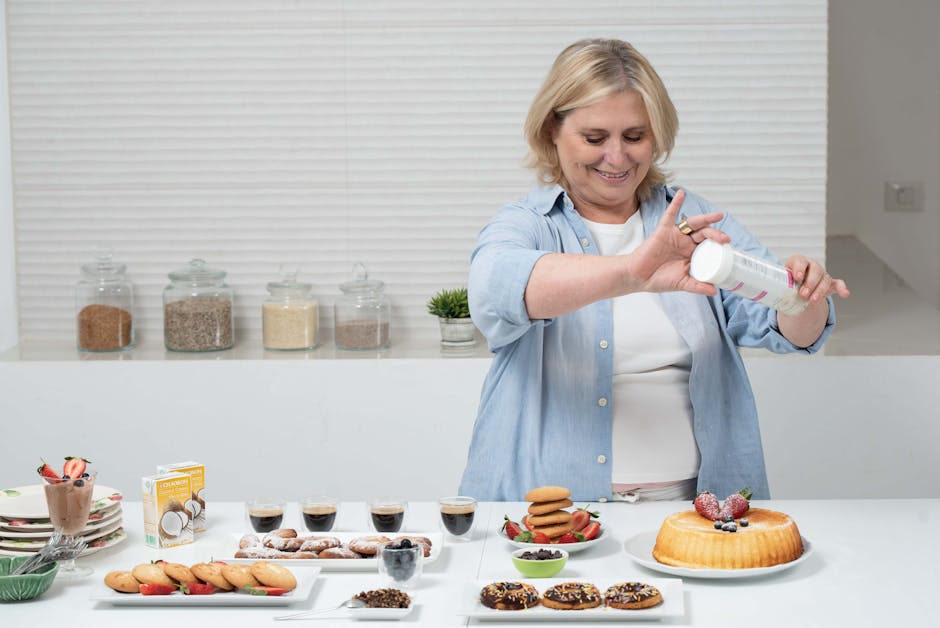
    Smiling home baker decorating a cake in her kitchen
    Most home bakers undercharge — not because they want to, but because they don’t know their real costs. Photo by Ronit HaNegby / Pexels

    Am I Undercharging? How to Calculate the Real Cost of Your Baked Goods

    “I charge $1.50 per cupcake but my ingredients alone cost $0.50. Is that enough margin?” — CakeCentral forum

    Your instinct to be suspicious is right. That $0.50 ingredient cost is only the beginning. Pricing homemade baked goods correctly means accounting for every real cost, not just flour and eggs:

    • Electricity to run your oven (roughly $0.10–$0.20 per hour depending on your utility rate)
    • Packaging — boxes, tissue paper, ribbon, labels, bags
    • Your time to shop, prep, bake, decorate, box, and deliver
    • Equipment depreciation (your mixer is wearing out with every batch)
    • Gas or mileage for delivery or supply runs

    Add those up and that $1.50 cupcake might actually cost $1.75–$2.00 to produce. You’re not breaking even — you’re paying your customer to let you bake for them.

    The formula that works: Cost of goods + labor + overhead + profit margin = your price. Anything less and you’re subsidizing someone else’s party.

    What BatterSuite does: The recipe cost calculator tracks every ingredient down to the gram. Enter your bulk purchase price (a 5 lb bag of flour at $4.99) and BatterSuite calculates the exact cost per cup, per tablespoon — whatever unit your recipe uses. No spreadsheet math. No guessing.


    How to Handle Customers Who Say Your Prices Are Too High

    “A customer told me my prices were ‘way out of their price range.’ Should I lower them?”

    Short answer: probably not.

    Bakers who lower prices to match objections almost always regret it. Here’s why: customers who push hardest on price are usually not your customers. The right buyer for handmade, high-quality cottage food is not comparison-shopping against a grocery store sheet cake.

    What the complaint is actually telling you: your marketing may not be reaching the right audience yet — not that your prices are wrong.

    The deeper issue: most home bakers don’t know their actual cost. They guess. So when a customer pushes back, there’s a flash of self-doubt — “Maybe I am charging too much?” — when they have no way to confirm either way. That uncertainty is the real problem.

    What BatterSuite does: When your price is built from real numbers — ingredients + labor + overhead + margin — you can stand behind it confidently. You’ll know exactly what you need to charge to be profitable, and you can stop second-guessing yourself every time someone balks at the price.

    Home baker reviewing pricing documents and cost formulas at a desk
    Knowing your exact costs transforms pricing from guesswork into confidence. Photo by Leeloo The First / Pexels

    How to Calculate Your Hourly Rate as a Home Baker

    “I spent 6 hours on a custom cake, charged $80, and realized I made $13/hour before expenses. How do I set a rate that actually makes sense?” — r/Baking

    This is one of the most common questions in cottage food and side hustle communities — and one of the most important to get right. Here’s a starting framework for how to calculate your hourly rate as a home baker:

    1. Set your target income. What do you need or want to earn per month from baking?
    2. Estimate your real capacity. How many actual hours per week can you bake, prep, deliver, and run admin?
    3. Divide target by hours. That’s your minimum effective hourly rate.
    4. Layer in overhead. Supplies, insurance, packaging, marketing — these come out of every hour you work.

    If your math says you need $35/hour but your local market supports $20/hour, that’s critical information. It means you may need to find higher-margin products, reduce input costs, or be honest about what this business can realistically earn right now.

    What BatterSuite does: Set your labor rate once and it’s automatically factored into every recipe and quote. Change it anytime — everything updates instantly. You can also compare products side by side to see which ones are worth your time and which ones are costing you money.


    How to Adjust Your Baked Goods Prices When Ingredient Costs Rise

    “Egg prices went through the roof. How do I raise prices without losing my customers?”

    This hit hard in 2025. Egg prices spiked over $5/dozen in many parts of the country due to widespread avian flu outbreaks — and bakers who hadn’t updated their pricing absorbed those losses themselves.

    The business reality is simple: if your costs go up and your prices stay flat, your margin disappears. Every dollar in extra ingredient cost you absorb is a dollar less you’re paying yourself.

    How successful home bakers handle ingredient price spikes:

    • Communicate transparently with regulars. A short note — “ingredient costs have increased, so I’ve adjusted my pricing slightly” — lands better than a silent price jump.
    • Price slightly above current cost. Build a small buffer so you’re not immediately underwater the next time something spikes.
    • Raise prices before you have to, not after. Reactive price increases feel larger and more urgent to both you and your customers.

    What BatterSuite does: Update an ingredient cost once in your ingredient library and every recipe using that ingredient recalculates automatically. You’ll see immediately which products are now unprofitable and by exactly how much — without touching a single spreadsheet.

    Overhead view of a pricing calculator and business cost documents on a desk
    One ingredient price change should update everything — not send you back to the spreadsheet. Photo by Leeloo The First / Pexels

    Why Home Bakers Break Even on Big Orders — and How to Stop It

    “I just finished a huge holiday order and barely broke even. What did I miss?”

    This is the post-mortem almost every home baker writes at some point. Big orders look profitable up front and feel devastating afterward. Here’s what almost always gets missed:

    • Shopping time — driving to three stores to find specialty sprinkles is unpaid time unless you price for it
    • Packaging — boxes, ribbon, tissue, labels, and bags add up fast on large orders
    • Utilities — 8 hours of oven use across a big holiday batch is a real line item
    • Custom design time — the hour you spent sketching the cake design before you ever touched flour
    • Admin time — emails, revisions, payment follow-ups, scheduling

    Most bakers track ingredients well. Almost none track the full picture. And the full picture is where the profit lives.

    What BatterSuite does: The overhead allocation feature lets you define your fixed and variable costs — utilities, average packaging, insurance, supplies — and BatterSuite distributes that overhead across orders automatically. You see your true margin before you take the order, not after you finish it.


    How to Charge What Your Baked Goods Are Worth (Without the Guilt)

    This question rarely gets posted publicly. It shows up in private Facebook groups and baker DMs: I feel guilty charging full price for something I love doing.

    It’s real, and it’s common, and it quietly destroys more baking businesses than any pricing formula ever will.

    A few reframes that have helped other home bakers:

    • Your skill took years to develop. You’re not charging for “just a cake.” You’re charging for everything you learned to make that cake possible.
    • Undercharging doesn’t signal humility — it devalues the craft for every baker in your community.
    • If you burn out making nothing, the thing you love becomes a source of stress instead of joy. Sustainable pricing protects the work, not just the business.

    The bakers who thrive long-term learn to separate their emotional relationship with the work from the financial reality of running a business. Both can exist. They just can’t share the same spreadsheet cell.

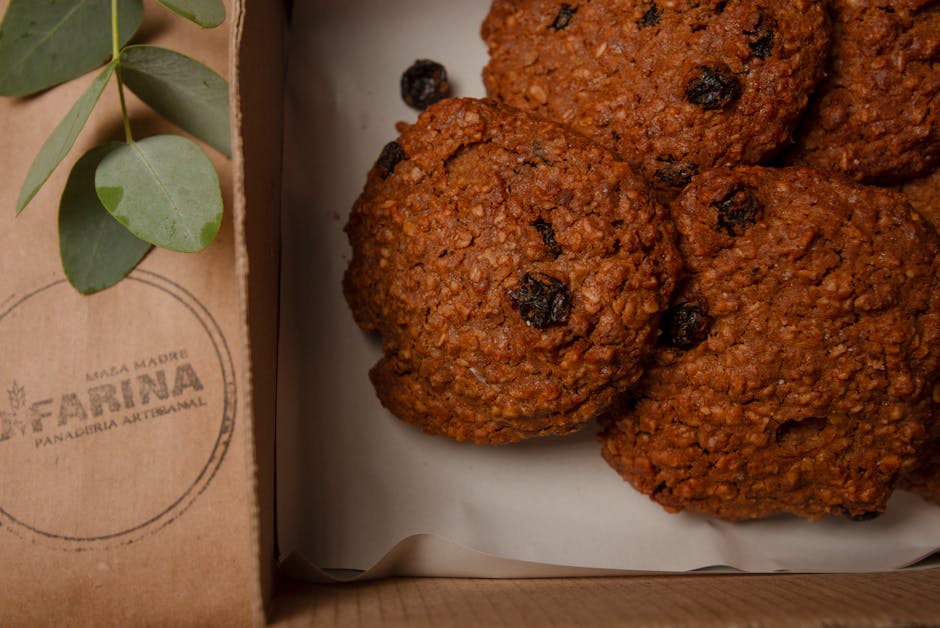
    Artisanal homemade cookies packaged in a bakery box ready for delivery
    Your time, skill, and ingredients all have real value. Packaging it correctly starts with knowing your real costs. Photo by Natalia Olivera / Pexels

    Home Baker Pricing Software: Managing Your Bakery Business as One Person

    “Is there an easier way to manage all of this? I’m just one person.”

    Yes — and it’s exactly why BatterSuite was built.

    Most home bakers are running their business across a patchwork of Notes apps, Google Sheets, Instagram DMs, and mental math. It works — right up until it doesn’t. Until an order gets lost. Until you can’t remember what you charged a customer last year. Until tax season hits and you have no idea what your actual revenue was.

    BatterSuite is home baker pricing software that brings everything into one place:

    • Recipe cost calculator — build your recipes, track every ingredient cost, see cost of goods instantly
    • Pricing tool — set your labor rate and profit margin, get a price that actually works for your business
    • Order management — track orders from inquiry to delivery, never lose a detail
    • Client records — every customer, every order, every conversation, organized in one place
    • Gift certificates — sell and redeem gift certificates built right in
    • Loyalty program — reward repeat customers automatically

    At $22.99/month (or $199/year — less than $17/month), BatterSuite is built specifically for the scale of a cottage food or home bakery operation. Not a bloated restaurant POS. Not a generic invoicing tool. Something made for bakers, by people who understand how this business actually works.

    Try BatterSuite Free for 30 Days →


    The Bottom Line: Profitable Home Baking Starts with Real Numbers

    The home bakers building sustainable businesses aren’t necessarily the most talented. They’re the ones who took pricing seriously, learned their real costs, and stopped guessing.

    Every question above is the same question in a different shape: how do I know if I’m making money? And the answer is the same every time — you need real numbers to make real decisions. A gut feeling isn’t a pricing strategy.

    BatterSuite gives you those numbers, automatically, so you can focus on the baking.

    Start Your Free 30-Day Trial


    Frequently Asked Questions About Home Baker Pricing

    What is a good profit margin for a home bakery?

    Most cottage food and home bakery businesses aim for a 30–50% profit margin after accounting for ingredients, labor, and overhead. Many bakers start far below this because they don’t include labor or overhead in their pricing at all. A recipe cost calculator helps you identify your true margin before you set a price.

    How do I calculate the cost of a homemade cake?

    Add up the cost of every ingredient (down to tablespoon-level precision), add packaging costs, calculate your time at your labor rate, and add a share of your monthly overhead (utilities, insurance, supplies). That total is your cost of goods. Your price should be your cost plus your desired profit margin.

    Should I charge for my time as a home baker?

    Yes — always. Your time is the most expensive ingredient in almost every recipe. Experienced bakers charge anywhere from $15 to $50+ per hour depending on skill level, local market, and product complexity. Many home bakers start undercounting their hours and gradually build toward a rate that reflects the real value of their work.

    What’s the best software for home baker pricing?

    BatterSuite is built specifically for home bakers and cottage food businesses. Unlike generic invoicing tools or restaurant POS systems, it’s designed around the way home bakers actually work — recipe-based costing, per-order pricing, client tracking, and order management in one place.

    How do I handle ingredient price increases as a home baker?

    Update your ingredient costs in your pricing tool as soon as prices change, then review which products are no longer hitting your margin target. It’s better to raise prices proactively with a brief note to regular customers than to wait until you’re losing money on every order.


    Have a pricing question we didn’t cover? Drop it in the comments — we read every one.

    Images sourced from Pexels (free to use). Photo credits: Ronit HaNegby, Leeloo The First, Natalia Olivera.

  • Stop Undercharging: Why Most Home Bakers Price Too Low (And How to Fix It)

    Calculator and pricing documents on desk - business planning

    You spent three hours decorating those cookies. You used premium ingredients. You poured your heart into every detail.

    And then you charged $30 a dozen.

    Sound familiar?

    If you’ve ever looked at your bank account after a big order and wondered where all the profit went, you’re not alone. Most home bakers are undercharging — not because they don’t value their work, but because they genuinely don’t know what their products actually cost to make.

    The Real Reason You’re Undercharging

    It’s not lack of confidence (though that doesn’t help). It’s not imposter syndrome (though many of us deal with that too).

    The real reason? You’re guessing.

    You’re eyeballing ingredient costs. You’re not tracking your time. You’re forgetting about packaging, utilities, and all those “little” expenses that add up fast. You’re looking at what other bakers charge and hoping you’re in the right ballpark.

    And when someone questions your price? You panic and lower it.

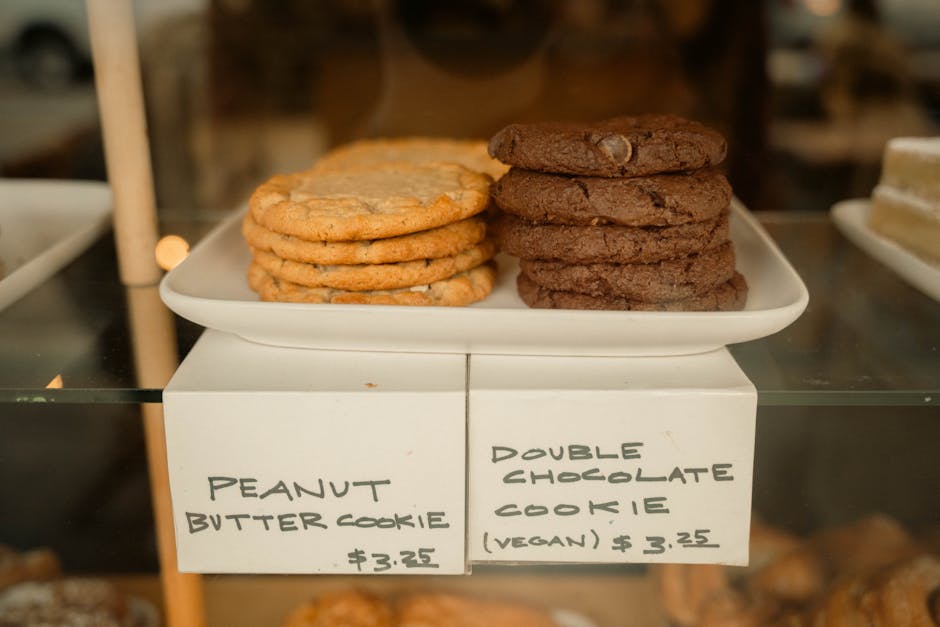
    Display of cookies in bakery shop

    What Actually Goes Into Pricing

    Let’s talk about what you’re REALLY selling when someone orders a dozen custom cookies:

    Ingredients: Butter, flour, sugar, food coloring, flavoring extracts — every single item has a cost, and it adds up faster than you think.

    Time: Shopping for supplies, mixing dough, baking, cooling, decorating, boxing, communicating with the customer. That’s not just “a few hours” — that’s skilled labor that deserves to be compensated.

    Overhead: Electricity to run your oven. Water for washing dishes. Packaging materials. Business insurance. Website hosting. These aren’t optional — they’re the cost of running a legitimate business.

    Expertise: You didn’t learn to bake overnight. Your skills, your recipes, your ability to turn someone’s Pinterest dream into reality — that has VALUE.

    The $45 Dozen That Actually Costs $52

    Here’s a real example from my own bakery:

    I was charging $45/dozen for simple decorated cookies. Seemed fair, right? Competitive with other local bakers. Customers weren’t complaining.

    Then I actually calculated the costs:

    • Ingredients: $18.50
    • Packaging: $4.20
    • Labor (3 hours at $20/hr): $60
    • Overhead allocation: $6.30
    • Total actual cost: $89

    I was losing $44 per order. And wondering why I was always stressed about money.

    Sound familiar?

    Pricing formula document with laptop and calculator

    Why “Competitive Pricing” Is Keeping You Broke

    Here’s what I see all the time in baker Facebook groups:

    “What should I charge for a dozen cookies?”

    And everyone chimes in with their prices. $25. $35. $40. Maybe $50 if you’re fancy.

    But here’s the problem: their costs aren’t your costs.

    Maybe they buy ingredients in massive bulk. Maybe they already own professional equipment. Maybe they’re not factoring in their time because they consider baking a “hobby.”

    When you price based on what others charge instead of what YOU need to charge to be profitable, you’re building a business on quicksand.

    The Confidence That Comes From Knowing Your Numbers

    Everything changed when I started actually tracking my costs.

    Not guessing. Not estimating. Actually calculating.

    Suddenly, I could look a customer in the eye and say, “That’s $72 a dozen” without flinching. Because I knew exactly where that number came from. I knew my profit margin. I knew I wasn’t losing money.

    And you know what? My sales didn’t drop. In fact, they increased.

    Because confidence is attractive. When you know your worth, customers trust your pricing.

    You Need a System, Not Just a Spreadsheet

    I tried the Excel spreadsheet thing. I really did.

    But here’s what happened: I’d update one ingredient cost and forget to update it in three different tabs. I’d lose track of which version was current. I’d spend 20 minutes hunting for the right file.

    What I needed was a system that:

    • Calculated costs automatically
    • Updated everything when I changed one number
    • Was easy to access and actually USE
    • Didn’t require a degree in spreadsheets

    So I built one. And now I’m giving it to you.

    Introducing the Sweet Start Pricing Kit

    This is the exact system I use in my own bakery to price every single product.

    It’s a Notion template (don’t worry, Notion is free and super easy to use) that includes:

    āœ… Ingredient Cost Calculator
    Track every ingredient you use, what you paid for it, and how much each recipe actually costs. No more guessing. No more “close enough.”

    āœ… Automatic Cost Calculations
    Enter your ingredient amounts once, and the template does the math for you. Update a price, and everything recalculates instantly.

    āœ… Customizable Database
    Add your own ingredients, your own recipes, your own costs. This isn’t a one-size-fits-all template — it’s designed to work for YOUR business.

    Hands organizing business documents and pricing papers

    What You’ll Be Able to Do

    After you set up this pricing kit (takes about 15 minutes), you’ll be able to:

    • Calculate the exact cost of any recipe in seconds
    • Know your minimum price before you even talk to a customer
    • Adjust for ingredient price changes without panic
    • See which products are actually profitable (spoiler: it might not be what you think)
    • Quote prices with total confidence
    • Stop leaving money on the table

    This Is Your Business. Treat It Like One.

    You wouldn’t walk into Target and negotiate the price of milk, right?

    So why are you letting customers negotiate YOUR prices?

    It’s because you’re not sure. You don’t have the numbers to back you up. You’re afraid they’ll think you’re too expensive.

    But here’s the truth: Professional businesses have professional prices.

    And professional prices are based on actual costs, not guesswork and fear.

    Ready to Stop Guessing and Start Profiting?

    The Sweet Start Pricing Kit is completely free. No credit card. No catch. Just a genuine tool to help you run a more profitable bakery.

    Because I’m tired of seeing talented bakers burn out because they can’t make the numbers work. I’m tired of watching incredible artists undervalue their work. I’m tired of the “race to the bottom” pricing that keeps all of us struggling.

    You deserve to make money doing what you love.

    Let’s make that happen.

    Get Your Free Pricing Kit Now →

    What happens next: Click the button above, enter your email, and you’ll instantly receive your Sweet Start Pricing Kit. It takes about 15 minutes to set up, and then you’ll have a pricing system you can use forever. No commitment. No upsells. Just a tool to help you charge what you’re worth.

    See you on the other side of undercharging,

    Marcia
    Founder, SweetTube Academy
    Owner, Marcia’s Micro-Bakery

    P.S. — Still not sure? Reply to the welcome email after you download and tell me your biggest pricing struggle. I read every message and I’ll help you figure it out.

  • Complete Cricut Design Space Tutorial for Bakers: Create Labels, Toppers & Stickers

    Stop Buying Expensive Bakery Decorations – Make Them Yourself!

    If you’re a home baker or small bakery owner, you know how quickly costs add up when buying pre-made product labels, cake toppers, and custom stickers. What if I told you that you can create all three of these essential items yourself using tools you might already have?

    In this comprehensive tutorial, I’m walking you through exactly how to use Cricut Design Space to create professional-quality product labels, glitter cardstock cake toppers, and custom stickers. Whether you’re just starting out or looking to level up your bakery packaging, this guide has everything you need.

    What You’ll Learn in This Tutorial

    • Import Canva Labels to Cricut – Upload your custom designs and fit up to 4 labels per page
    • Create Glitter Cake Toppers – Design sturdy, professional toppers for cakes and cupcakes
    • Make Custom Stickers – Turn any image (including your logo!) into print-and-cut stickers

    Project 1: Importing Product Labels from Canva to Cricut

    One of the most common questions I get is: “Can I use my Canva designs with my Cricut?” The answer is absolutely yes! Here’s the complete process.

    Step 1: Download Your Label from Canva

    If you’ve already created labels in Canva (or followed my thermal printing label tutorial), you’ll want to download your design:

    • Open your label design in Canva
    • Click “Download”
    • Select PNG or JPG format
    • Download the file to your computer

    Step 2: Set Up Your Cricut Design Space Canvas

    Open Cricut Design Space and prepare your workspace:

    • Start with a blank canvas
    • Add a square shape
    • Resize to standard letter paper: 8.25″ x 11″
    • Change fill color to white (this is just a guide)

    Step 3: Upload Your Label Image

    Now comes the important part – uploading your design correctly:

    • Click “Upload” in the left panel
    • Select “Upload Image”
    • Click “Browse” and find your downloaded label
    • Click “Continue”
    • Preview your image and click “Apply and Continue”

    Step 4: Choose “Flat Graphic Single Layer” (This is Critical!)

    When asked to choose your image type, you have options:

    • Multi-layer – Creates a grainy, separated version
    • Flat graphic single layer – Creates a perfect, clean label (THIS IS WHAT YOU WANT!)

    Select “Flat graphic single layer” and click “Continue.” This imports your label as one clean, printable image.

    Step 5: Resize and Duplicate for Efficiency

    Here’s where you save money by maximizing your materials:

    • Resize your first label to your desired size (I use 3″ x 4.5″)
    • Duplicate the label
    • Position to fit 4 labels on one page
    • Align them properly using the alignment tools

    Pro tip: Four 3″ x 4.5″ labels fit perfectly on a standard letter-size page!

    Step 6: Delete the White Background

    Remember that white rectangle guide we created? Delete it now – you only needed it for positioning. Your labels are ready to print!

    Step 7: Understanding Registration Marks

    When you send your design to print, you’ll notice small corner marks appear on the preview. These aren’t mistakes – they’re registration marks that your Cricut needs to cut accurately. Here’s the workflow:

    1. Send to your regular printer (the one that prints in color)
    2. Let it print with the registration marks
    3. Place the printed sheet on your Cricut mat
    4. Send to Cricut to cut around each label

    Project 2: Creating Glitter Cardstock Cake Toppers

    Custom cake toppers can cost $15-30 to buy, but you can make your own for pennies! Here’s how to create professional, sturdy toppers that won’t fall apart.

    Step 1: Add Text to Your Canvas

    • Click “Text” in the left panel
    • Type your first word (example: “Happy”)
    • Duplicate and add your second word (example: “Birthday”)

    Step 2: Choose Your Font

    Font selection is crucial for toppers:

    • Click on your text
    • Select “Font” from the top menu
    • Filter by “Free” or “System” fonts
    • Choose decorative, script fonts that connect well

    Important: Many Cricut fonts require payment. Use “System” fonts to access the fonts already installed on your computer for free!

    Step 3: The Secret to Sturdy Toppers – Make Letters Touch!

    This is the most important tip for cake toppers that don’t break:

    You want letters to touch in as many places as possible.

    Why? When letters connect, they create a sturdy, single piece that won’t fall apart when you attach it to a dowel or stick.

    • Adjust letter spacing to make them overlap
    • Rotate letters slightly if needed to create touch points
    • Pay special attention to the dot over “i” – it must connect!

    Step 4: Fill Gaps with Shapes

    Sometimes letters have open spaces (like the bottom of a “B”). To fix this:

    • Go to “Shapes”
    • Select an oval or circle
    • Resize and position to fill the gap
    • Make sure it connects to both sides

    Step 5: Weld Everything Into One Piece

    This is the magic button that makes it all work:

    • Select ALL elements (all letters, shapes, dots)
    • Click “Weld” in the bottom right
    • Everything becomes one solid piece

    Now your Cricut will cut it as a single, sturdy topper!

    Step 6: Add an Outline (Optional but Professional)

    Want that professional outlined look like you see on fancy toppers?

    • Select your welded topper
    • Go to “Edit” → “Effects” → “Offset”
    • Adjust the offset width
    • Change the outline color (white, black, or coordinating color)

    This creates a two-layer topper: the background outline and the glitter top layer that you’ll glue together.

    Step 7: Size for Your Cake

    • For a 6-inch cake: Make topper about 5 inches wide
    • For cupcakes: 2-3 inches wide
    • For larger cakes: Scale up proportionally

    Materials for Toppers

    • Glitter cardstock (if you like glitter – I personally don’t!)
    • Regular cardstock in any color
    • Toothpicks, lollipop sticks, or cake dowels
    • Glue to attach layers

    Project 3: Making Custom Stickers from Any Image

    Whether you want to create stickers of your logo, decorative elements, or fun images, this process works for everything.

    Step 1: Import Your Image

    • Click “Images” in the left panel
    • Upload your own image OR use Cricut’s library
    • Select your image and add to canvas

    You can use:

    • Your bakery logo
    • Custom illustrations
    • Cricut library images (if you have them)
    • Any PNG or JPG image

    Step 2: Create the Sticker Outline – Two Methods

    Method 1: Cricut Access Subscription (Paid)

    • Select your image
    • Click “Edit”
    • Select “Sticker”
    • Automatic outline is created

    Method 2: Offset Tool (FREE Alternative!)

    Don’t have a subscription? No problem! Here’s how to get the same result for free:

    • Select your image
    • Click “Edit” → “Offset”
    • Adjust the width of the offset (this is your sticker border)
    • Change the offset color (usually white works best)

    Step 3: Flatten (Don’t Weld!)

    This is crucial – many people get confused here:

    • Weld = Combines shapes into one solid piece (for cutting only)
    • Flatten = Layers image on background for print-then-cut

    For stickers, you want to:

    • Select both the image and the outline
    • Click “Flatten” in the layers panel

    This tells Cricut: “Print this image on the background, THEN cut around it.”

    Step 4: Send to Print and Cut

    • Click “Make It”
    • Send to your printer first
    • Wait for it to print (with registration marks)
    • Place on Cricut mat
    • Select your material (sticker paper)
    • Let Cricut cut around the outline

    Sticker Paper Options

    • White sticker paper – Best for most designs
    • Clear sticker paper – For transparent backgrounds
    • Glossy or matte finish – Personal preference

    Common Questions & Troubleshooting

    Q: My labels aren’t cutting in the right place. What’s wrong?

    A: Make sure your printer didn’t scale the image. In print settings, select “Actual Size” or “100%” – never “Fit to Page.”

    Q: Can I use Cricut without a subscription?

    A: Absolutely! While Cricut Access gives you extra fonts and images, all the essential tools (upload, text, shapes, offset) are completely free.

    Q: My topper keeps breaking. What am I doing wrong?

    A: Make sure letters are touching in multiple places before welding. Also, avoid very thin, delicate fonts – choose thicker, more connected styles.

    Q: What’s the difference between Print then Cut and regular cutting?

    A: Regular cutting cuts through solid colored cardstock. Print then Cut prints your design first, then cuts around it – perfect for full-color labels and stickers.

    Q: How many labels/stickers can I make per sheet?

    A: It depends on size, but generally:

    • 4 large labels (3″ x 4.5″) per sheet
    • 6-9 medium stickers (2″ x 3″) per sheet
    • 12+ small stickers (1″ x 1″) per sheet

    Cost Savings Breakdown

    Let’s look at what you save by making these yourself:

    Product Labels:

    • Buying pre-cut: $15-25 per 100 labels
    • Making yourself: $5-8 per 100 labels (paper + ink)
    • Savings: $10-17 per 100 labels

    Cake Toppers:

    • Buying custom: $15-30 per topper
    • Making yourself: $0.50-1.50 per topper (cardstock + stick)
    • Savings: $13.50-28.50 per topper

    Custom Stickers:

    • Buying custom: $25-50 per 100 stickers
    • Making yourself: $8-12 per 100 stickers (sticker paper + ink)
    • Savings: $17-42 per 100 stickers

    If you make even 10 cake toppers per month, you save $200-280 monthly!

    What You Need to Get Started

    Essential Equipment:

    • Cricut machine (Maker, Explore, or Joy)
    • Computer with Cricut Design Space installed
    • Regular inkjet or laser printer
    • Cutting mat

    Materials:

    • Cardstock (white or colored)
    • Glitter cardstock (optional, for toppers)
    • Sticker paper (white or clear)
    • Regular printer paper (for labels)

    Software (All Free!):

    • Cricut Design Space
    • Canva (for designing labels)

    Ā 

    Next Steps: Building Your Bakery Toolkit

    This Cricut tutorial pairs perfectly with my thermal printing tutorial. Together, these two tools give you a complete bakery packaging system:

    • Thermal printer – For ingredient labels and shipping labels
    • Cricut – For product labels, cake toppers, and stickers

    Check out my thermal printing tutorial if you haven’t already – it’s another game-changer for home bakeries!

    Your Turn!

    Which project are you most excited to try? Are you making:

    • Product labels for your packaging?
    • Glitter toppers for special occasion cakes?
    • Custom stickers with your logo?

    Drop a comment below and let me know! I love hearing what you’re creating.

    And if you make something using this tutorial, tag me on Instagram @sweettubeacademy – I feature student work in my stories!

    Join the SweetTube Community

    Learning to use tools like Cricut is so much easier when you have support! Join our community:

    • YouTube – Subscribe for weekly tutorials
    • Instagram – @sweettubeacademy for daily tips
    • Facebook Group – Connect with other bakers
    • Email Newsletter – Get tutorials delivered to your inbox

    Final Thoughts

    When I first started my bakery, I bought everything pre-made. Labels, toppers, stickers – it all added up fast. Learning to use my Cricut was one of the best investments I made in my business.

    Not only did it save me hundreds of dollars per month, but it gave me creative freedom. I can now create custom designs for every order without waiting for suppliers or paying premium prices.

    If you have a Cricut sitting in your craft room, it’s time to put it to work for your bakery business. And if you don’t have one yet, these three projects alone will pay for the machine within a few months.

    Remember: Every professional baker started exactly where you are now. We’re building our businesses together, one tool at a time.

    Thanks for learning with me!

    Marcia
    SweetTube Academy

    P.S. – Have questions about any step in this tutorial? Drop a comment below or email me at support@sweettubeacademy.com. I read and respond to every message!

    Watch the Full Video Tutorial

    This blog post covers all three projects, but if you want to see the step-by-step process in action, watch my complete 23-minute video tutorial on YouTube. I walk through every click, every button, and show you exactly what your screen should look like at each step.

  • Starting Your Bakery Website? Here’s the Hosting I Recommend

    If you’re dreaming of starting a bakery business or finally ready to take your home baking side hustle online, one of the first things you’ll need is a website. But here’s the thing: choosing the right web hosting can feel overwhelming, especially when you’re watching your budget.

    I’ve been there. As a bakery owner myself, I know every dollar counts when you’re starting out. That’s why I want to share my honest recommendation for web hosting that’s perfect for bakers building their first website: Hostinger.

    Why Every Baker Needs a Website

    Before we dive into hosting, let’s talk about why having your own website matters so much for your baking business.

    Credibility: A professional website instantly makes your bakery look legitimate. Customers trust businesses with real websites over those only on social media.

    You own it: Unlike Instagram or Facebook, your website belongs to you. Algorithm changes can’t suddenly make you invisible.

    Custom orders made easy: A website lets customers browse your offerings, see your prices, and contact you for custom orders anytime, even at 2 AM when they remember they need a birthday cake for Saturday.

    Local SEO: When someone searches “custom cookies near me,” a website helps you show up in those results.

    What to Look for in Web Hosting

    When you’re choosing hosting for your bakery website, here’s what actually matters:

    Reliability: Your site needs to stay online. If a customer can’t access your site, they’ll go to your competitor.

    Speed: Slow websites frustrate visitors (and hurt your Google rankings). Your beautiful cake photos need to load fast.

    Ease of use: You’re a baker, not a web developer. You need hosting that doesn’t require a tech degree.

    Affordability: You shouldn’t have to choose between quality flour and quality hosting.

    Why I Recommend Hostinger for Bakers

    After researching the options and seeing what works for small creative businesses, Hostinger stands out as the best choice for bakers starting their first website.

    Budget-Friendly Pricing

    Let’s start with the most important factor for many of us: cost. Hostinger offers shared hosting starting as low as $1.99-2.99/month on longer-term plans. Their WordPress hosting (perfect for bakery websites) starts around $2.49-2.99/month.

    What’s included at that price point:

    • Free domain name for the first year
    • Free SSL certificate (that little padlock that shows your site is secure)
    • Weekly backups to protect your content
    • Email accounts for your business

    Speed That Keeps Customers Engaged

    Hostinger uses LiteSpeed web servers, which are significantly faster than what many budget hosts offer. Independent testing shows load times averaging 0.8-1.4 seconds. That matters when customers are scrolling through your cake gallery on their phones.

    99.9% Uptime Guarantee

    Real-world testing confirms Hostinger consistently delivers 99.95-99.99% uptime. Translation: your website will be there when customers need to find you.

    Perfect for WordPress (The Best Platform for Bakeries)

    WordPress powers over 40% of all websites for good reason. It’s flexible, has beautiful bakery themes available, and grows with your business. Hostinger makes WordPress incredibly easy:

    • One-click WordPress installation
    • Automatic updates and security
    • Built-in caching for faster loading
    • Guided setup that walks you through everything

    Beginner-Friendly Control Panel

    Hostinger’s custom control panel (called hPanel) is designed for people who aren’t tech experts. Managing your hosting, setting up email, and making changes is straightforward and stress-free.

    Which Plan Should You Choose?

    Just starting out? The Premium plan ($2.99/month) is perfect. You get 100GB of storage, can host up to 100 websites, and it handles up to 25,000 monthly visitors. More than enough for a growing bakery.

    Ready to scale? The Business plan ($3.99/month) adds daily backups, a free CDN for even faster worldwide loading, and priority support.

    Get Started with Your Bakery Website

    Ready to take the leap and create your bakery website? Here’s my referral link to get started with Hostinger:

    šŸ‘‰ Start Your Bakery Website with Hostinger

    Transparency note: This is a referral link, which means I may earn a small commission if you sign up through it, at no extra cost to you. I only recommend tools I genuinely believe will help your bakery business!

    Every plan comes with a 30-day money-back guarantee, so you can try it completely risk-free.

    Make Your Bakery Website Work Harder

    Once you have your hosting set up, you’ll want the right tools to make your bakery website really shine. That’s where our SP Cake and Cookies WordPress plugin comes in.

    We designed SP Cake and Cookies specifically for bakers like you. It helps you:

    • Showcase your products beautifully
    • Manage custom orders professionally
    • Calculate pricing accurately
    • Give customers the experience they expect from a professional bakery

    When you pair reliable, affordable hosting with the right bakery-specific tools, you’re setting your business up for success from day one.


    Questions about starting your bakery website? Drop a comment below or reach out. We’re all about helping bakers build their dreams, one sweet step at a time.

    And if you’re looking for more resources to grow your baking business, check out our Sweet Starter and Sweet Premium memberships for templates, tutorials, and community support.

  • Master Holiday Cake Decorating: Your Complete Guide to Festive Baking Success

    Holiday cake decorating workspace

    There’s something magical about creating beautiful holiday cakes that bring smiles to everyone around the table. Whether you’re baking for family gatherings, starting a seasonal side hustle, or simply want to level up your holiday baking skills, mastering festive cake decorating opens up a world of creative possibilities.

    At SweetTube Academy, we’ve taught thousands of bakers how to create stunning holiday cakes that look professionally done—because with the right techniques and guidance, anyone can achieve bakery-quality results at home. This comprehensive guide will walk you through everything you need to know about holiday cake decorating, from essential techniques to trending designs for this season.

    Why Learn Holiday Cake Decorating?

    Before we dive into techniques, let’s talk about why developing these skills is worth your time—especially during the holiday season.

    Financial Opportunity: Holiday cakes are in high demand from November through January. Many of our students use these months to earn significant extra income by taking custom orders from friends, family, and local customers. Some turn their holiday baking into year-round businesses!

    Creative Satisfaction: There’s immense pride in creating something beautiful with your own hands. Watching friends and family light up when they see your creation is incredibly rewarding. Holiday baking combines artistry with deliciousness.

    Skill Building: Holiday designs teach you techniques you’ll use all year—piping skills, color theory, structural considerations, and design planning. These fundamentals translate to every cake you’ll ever make.

    Quality Time: Many bakers find the decorating process meditative and relaxing. It’s creative time that’s just for you, away from holiday chaos.

    Essential Holiday Decorating Techniques

    Let’s start with the foundational skills that make holiday cake decorating possible. Master these, and you’ll be able to tackle any festive design.

    Buttercream Mastery

    The Foundation: Holiday cakes demand smooth, professional buttercream finishes. Whether you’re creating a winter wonderland cake or a cozy Christmas design, your buttercream technique makes or breaks the final look.

    Key Skills:
    – Achieving perfect buttercream consistency (not too soft, not too stiff)
    – Smooth finishing with bench scraper and turntable
    – Creating texture intentionally (rustic finishes, combed patterns)
    – Understanding when to chill versus work at room temperature

    Pro Tips: Room temperature is critical—buttercream should be spreadable but hold its shape. If it’s too cold, let it sit 30 minutes. Too warm? Refrigerate briefly. Small adjustments make huge differences in your results.

    Piping Techniques for Holiday Designs

    Piping brings holiday cakes to life with intricate details, borders, and decorative elements.

    Essential Piping Skills:
    – Border work (shells, rosettes, rope borders)
    – Writing and lettering for holiday messages
    – Flowers and botanical elements (holly, poinsettias)
    – Snowflakes and geometric patterns
    – Drop flowers for quick, elegant decoration

    Tips for Success:
    – Fill piping bags only halfway to prevent bursts
    – Practice consistent pressure for uniform designs
    – Keep buttercream at ideal consistency (add powdered sugar if too thin, tiny amounts of milk if too thick)
    – Use quality gel food coloring for vibrant holiday colors

    Working with Fondant

    Fondant creates sleek, professional finishes and allows for intricate cutout decorations perfect for holiday themes.

    Fondant Basics:
    – Kneading and conditioning fondant properly
    – Rolling to consistent 1/4 inch thickness
    – Covering cakes smoothly without air bubbles
    – Creating cutouts (snowflakes, stars, holiday shapes)
    – Using fondant tools for texture and detail

    Common Mistakes to Avoid:
    – Rolling too thin (leads to tears)
    – Applying to unsmooth crumb coat (shows every bump)
    – Not working quickly enough (fondant dries and cracks)
    – Using water instead of shortening to repair tears

    Trending Holiday Designs for This Season

    Let’s explore what’s popular right now in holiday cake design. These trends work for both personal celebration cakes and custom orders if you’re building a baking business.

    Winter Wonderland Elegance

    Design Elements:
    – White or pale blue buttercream base
    – Silver snowflake decorations (fondant or royal icing)
    – Edible pearls and metallic accents
    – Icy, crystalline textures
    – Minimalist sophistication

    Perfect For: New Year’s Eve parties, winter weddings, sophisticated adult gatherings

    Technique Focus: Smooth buttercream finishes, delicate piping work, working with edible metallics

    Traditional Christmas Warmth

    Design Elements:
    – Rich reds and greens
    – Holly, pine branches, plaid patterns
    – Gold accents for luxury feel
    – Textured buttercream (rustic or combed)
    – Classic holiday motifs

    Perfect For: Family Christmas dinners, office parties, traditional celebrations

    Technique Focus: Color mixing, piping botanical elements, creating texture with buttercream

    Modern Minimalist Holiday

    Design Elements:
    – Clean lines and geometric shapes
    – Restrained color palette (one or two colors)
    – Abstract holiday elements
    – Negative space as design element
    – Contemporary aesthetic

    Perfect For: Trendy celebrations, young professionals, Instagram-worthy events

    Technique Focus: Precision work, smooth finishes, design planning, restraint in decoration

    Rustic Farmhouse Christmas

    Design Elements:
    – Semi-naked or lightly frosted cakes
    – Fresh cranberries, rosemary, natural elements
    – Earthy color palette
    – Organic, imperfect beauty
    – Natural wood cake stands

    Perfect For: Casual family gatherings, farmhouse-style celebrations, outdoor winter events

    Technique Focus: Controlled “messy” finishes, working with fresh ingredients, balancing rustic with intentional design

    Hanukkah Celebration Designs

    Design Elements:
    – Blue and white color schemes
    – Stars of David, menorahs, dreidels
    – Silver accents
    – Elegant, celebratory designs
    – Traditional symbolism with modern execution

    Perfect For: Hanukkah celebrations, Jewish holiday events

    Technique Focus: Clean color work, fondant or royal icing decorations, cultural sensitivity in design

    Color Theory for Holiday Cakes

    Understanding color is crucial for stunning holiday cakes. Let’s break down how to work with festive colors effectively.

    Creating Vibrant Holiday Colors

    Red: Start with a LOT of gel food coloring—red is notoriously difficult. Start with white buttercream, not vanilla-colored. Consider using “no taste red” gel to avoid bitterness.

    Green: Easier than red! Start with less coloring than you think—you can always add more. Kelly green works for Christmas, mint green for winter wonderland.

    Blue: For Hanukkah and winter themes. Royal blue for traditional looks, pale blue for elegant winter designs.

    Metallics: Gold and silver edible paints, luster dust, or pre-colored fondant add luxury to holiday cakes.

    Pro Tips:
    – Mix colors in small batches first to test
    – Colors deepen as buttercream sits—start lighter
    – Never mix complementary colors (red + green = brown!)
    – Use white buttercream base for most vibrant results

    Essential Tools for Holiday Cake Decorating

    Having the right tools makes holiday decorating significantly easier. Here’s what you actually need:

    Must-Have Tools

    Basic Equipment:
    – Turntable (game-changer for smooth finishes)
    – Offset spatula (for spreading and smoothing)
    – Bench scraper (creates perfectly smooth sides)
    – Quality piping bags and tips (disposable or reusable)
    – Gel food coloring (more vibrant than liquid)

    Holiday-Specific:
    – Snowflake cutters or stencils
    – Star tips for piped snowflakes
    – Letter/number sets for holiday messages
    – Edible metallic dust or paint
    – Holiday-themed cookie cutters (double as fondant cutters)

    Nice to Have:
    – Fondant smoother
    – Various piping tips (stars, round, leaf)
    – Impression mats for texture
    – Edible glitter and pearls
    – Cake leveler

    Budget-Friendly Alternatives

    Don’t have everything yet? No problem!

    – Use a lazy susan instead of expensive turntable
    – Parchment paper piping bags instead of buying disposable
    – Print free snowflake templates instead of buying cutters
    – Regular sugar can substitute for edible glitter
    – Toothpicks work for detail work if you don’t have fine tools yet

    Time Management for Holiday Baking

    The holidays are busy—smart planning ensures you enjoy the process rather than stress over deadlines.

    Baking & Decorating Timeline

    3-4 Days Before Event:
    – Bake cake layers
    – Wrap well and freeze (maintains moisture!)
    – Plan design and gather decorations

    2 Days Before:
    – Make buttercream and fillings
    – Store properly (refrigerate fillings, room temp for buttercream)
    – Prepare fondant decorations (they need time to firm up)

    1 Day Before:
    – Assemble and crumb coat
    – Let crumb coat set in fridge (at least 30 minutes)
    – Apply final buttercream coat
    – Refrigerate overnight

    Day Of Event:
    – Add final decorations
    – Transport carefully
    – Display within 2-3 hours for freshness

    Managing Multiple Orders (For Business Bakers)

    Planning to take holiday orders? Smart scheduling prevents burnout.

    Tips:
    – Limit orders to what you can realistically handle
    – Stagger pickup dates (don’t book everything for Dec 23rd!)
    – Batch similar tasks (bake all cakes one day, decorate another)
    – Build in buffer time for mistakes or delays
    – Communicate clear deadlines to customers

    Common Holiday Decorating Challenges (And Solutions)

    Let’s troubleshoot issues you’re likely to encounter so you can prevent or fix them.

    Problem: Buttercream Won’t Smooth

    Causes: Too cold (butter solidified), too warm (melting), wrong consistency.

    Solutions: Room temperature is key—buttercream should be spreadable but hold shape. If too cold, let it sit 30 minutes. If too warm, refrigerate briefly. Add small amounts of powdered sugar if too thin, tiny amounts of milk if too thick.

    Problem: Colors Look Muddy

    Causes: Mixing complementary colors (red + green = brown), over-mixing, using old or poor-quality gel.

    Solutions: Start with white buttercream for vibrant colors. Mix each color separately, don’t mix complementary colors. Use quality gel food coloring. Remember colors deepen as they sit—start lighter.

    Problem: Piping Bag Bursts

    Causes: Bag too full, buttercream too soft, seam failed, excessive pressure.

    Solutions: Fill bags only halfway. Ensure buttercream is proper consistency (if too soft, refrigerate). Fold bag top tightly. Use quality bags. Practice steady pressure rather than squeezing hard.

    Problem: Fondant Tears or Cracks

    Causes: Too dry, rolled too thin, cake underneath not smooth, moved too quickly.

    Solutions: Knead fondant with small amounts of shortening if dry. Roll to 1/4 inch thickness. Ensure crumb coat is smooth. Work quickly but don’t rush. Repair tears with water and smoothing.

    Problem: Decorations Sliding Off

    Causes: Buttercream too warm, decorations too heavy, gravity.

    Solutions: Chill cake before adding heavy decorations. Use royal icing or melted chocolate as “glue” for heavy pieces. Consider structural support for very heavy elements.

    Learning Resources at SweetTube Academy

    Ready to take your holiday baking to the next level? SweetTube Academy offers comprehensive resources designed to build your skills systematically.

    Membership Options

    Sweet Starter Pack – $5/month
    Perfect for new bakers who want professional templates and community support:
    – 4 Professional Canva Templates Monthly
    – Social Media Post Templates
    – Story & Highlight Covers
    – Access to Private Member Forum
    – Template Tutorial Videos
    – Commercial Use License

    Sweet Premium Pack – $9/month ⭐ MOST POPULAR
    For serious business growth and advanced learning:
    – Everything in Sweet Starter, PLUS:
    – 6+ Premium Templates Monthly
    – Exclusive Bonus Templates
    – Monthly Live Q&A Sessions
    – Priority Email Support
    – Advanced Marketing Templates
    – Seasonal Campaign Packages
    – First Access to New Releases

    Community Support

    Private Member Forum: Connect with fellow bakers, share your holiday creations, ask questions, and get real-time troubleshooting help from instructors and peers.

    Monthly Live Q&A Sessions (Premium Members): Ask specific questions about your holiday cakes and get expert guidance in a supportive group setting.

    Template Resources: Access professional Canva templates for marketing your holiday cakes if you’re building a business.

    Make This Holiday Season Your Best Baking Year

    The holidays are the perfect time to develop your cake decorating skills. Whether you’re creating for family, building a business, or simply pursuing a creative passion, the techniques you master this season will serve you for years.

    Remember: every expert was once a beginner. Give yourself grace with early attempts, celebrate progress over perfection, and enjoy the creative journey. Your holiday cakes don’t have to be flawless to be beautiful and meaningful.

    Ready to master holiday cake decorating?

    Visit SweetTube Academy today:

    🌐 Website: sweettubeacademy.com
    šŸ“§ Email: info@sweettubeacademy.com | support@sweettubeacademy.com
    šŸ“ø Instagram: Follow @sweettubeacademy for daily tips and inspiration

    Join thousands of bakers who have transformed their holiday baking with professional techniques and supportive community. Your journey to stunning holiday cakes starts now!

  • How AI is Revolutionizing Your Baking Business (And How You Can Use It Today)

    As a baking business owner, you’re juggling countless tasks every day – from perfecting recipes and decorating cookies to managing orders, responding to customer inquiries, and marketing your creations. What if I told you that artificial intelligence (AI) could help you work smarter, save time, and grow your business faster than ever before?

    AI isn’t just for tech giants anymore. It’s become an accessible, practical tool that home bakers and small bakery owners can use right now to streamline operations, boost creativity, and reclaim precious time. Let’s explore how AI is transforming the baking business landscape and how you can start using it today.

    Understanding AI for Small Baking Businesses

    First, let’s demystify what AI actually means for your baking business. You don’t need to be a tech expert or have a big budget. AI tools today are user-friendly, affordable (often free), and designed to help small business owners like you automate repetitive tasks and make better decisions.

    Think of AI as your digital assistant – one that never sleeps, doesn’t take vacations, and can handle multiple tasks simultaneously while you focus on what you do best: creating amazing baked goods.

    1. Customer Service & Communication

    The Challenge: Responding to customer inquiries about ingredients, pricing, availability, and custom orders can consume hours of your day.

    The AI Solution: AI-powered chatbots and email assistants can handle common customer questions 24/7, freeing you to focus on complex custom orders and actual baking. Tools like ChatGPT, Claude, or specialized customer service platforms can draft professional responses to emails, answer FAQs on your website, and even help you create templates for common scenarios.

    Real-world application: Use AI to draft responses to inquiry emails, create auto-responses for your booking system, or generate personalized thank-you messages for customers. You review and send – saving hours each week.

    2. Content Creation & Marketing

    The Challenge: Consistently creating engaging social media posts, blog content, and marketing materials while running your business.

    The AI Solution: AI can help generate blog post ideas, write social media captions, create email newsletters, and even design graphics. Tools like ChatGPT for writing, DALL-E or Midjourney for images, and Canva’s AI features for design make content creation faster and easier.

    Practical tips:

    • Use AI to brainstorm 30 days of social media post ideas in minutes
    • Generate multiple caption variations for the same photo and choose your favorite
    • Create blog posts about seasonal baking trends, tips, and tutorials
    • Design eye-catching graphics for promotions without hiring a designer
    • Write compelling product descriptions for your website or Etsy shop

    3. Recipe Development & Documentation

    The Challenge: Organizing recipes, scaling ingredients, calculating costs, and documenting your processes.

    The AI Solution: AI can help you format recipes professionally, calculate ingredient costs, scale recipes up or down, and even suggest ingredient substitutions. You can also use AI to convert your handwritten or messy recipe notes into clean, shareable formats.

    How to implement: Take a photo of your handwritten recipe, use AI image recognition to convert it to text, then ask AI to format it professionally with proper measurements, instructions, and even estimated prep/bake times.

    4. Business Planning & Strategy

    The Challenge: Making informed decisions about pricing, product offerings, marketing strategies, and business growth.

    The AI Solution: AI can analyze your sales data, identify trends, suggest profitable product ideas, and help you create business plans. It can also help you research competitors, understand market demands, and develop pricing strategies.

    Examples of AI assistance:

    • Analyze which products sell best during different seasons
    • Calculate profit margins and suggest optimal pricing
    • Create quarterly business plans and goal-setting frameworks
    • Research trending flavor combinations and design styles
    • Draft policies for cancellations, refunds, and custom orders

    5. Design & Creative Inspiration

    The Challenge: Coming up with fresh, creative designs for cookies, cakes, and other decorative baked goods.

    The AI Solution: AI image generators can create design inspiration, mood boards, and even custom cookie cutter designs. You can describe what you want and AI will generate visual concepts to spark your creativity.

    Creative uses: Generate color palette ideas for themed orders, visualize cake designs before starting, create custom cookie cutter concepts to 3D print, or develop unique piping patterns and techniques.

    6. Administrative Tasks & Organization

    The Challenge: Managing orders, tracking inventory, scheduling deliveries, and keeping financial records organized.

    The AI Solution: AI can help create order tracking systems, generate invoices, organize your calendar, and even draft contracts or terms of service. Voice assistants can take notes during client consultations or help you create to-do lists hands-free while working.

    Getting Started: Your AI Toolkit

    Ready to incorporate AI into your baking business? Here’s a beginner-friendly toolkit to get you started:

    Free AI Tools Every Baker Should Try:

    • ChatGPT or Claude (Free versions) – For writing, brainstorming, customer service, and general business tasks
    • Canva (Free AI features) – For creating graphics, social media posts, and marketing materials
    • Google Gemini – For research, content creation, and business planning
    • Grammarly (Free version) – For polishing your written communications
    • Remove.bg – For removing backgrounds from product photos

    Best Practices: Using AI Effectively

    While AI is powerful, it’s most effective when used thoughtfully. Here are some best practices:

    1. Always review and personalize – AI-generated content should be a starting point, not the final product. Add your unique voice, expertise, and personality.
    2. Protect customer privacy – Never input sensitive customer information (names, addresses, payment details) into AI tools.
    3. Stay authentic – Use AI to enhance your work, not replace your creativity and expertise.
    4. Learn the basics – Spend time understanding how to prompt AI effectively. The better your prompts, the better your results.
    5. Test and iterate – Experiment with different tools and approaches to find what works best for your business.

    Common Concerns Addressed

    “Won’t AI replace human bakers?” No! AI is a tool to handle repetitive tasks, allowing you more time to focus on the creative, hands-on work that makes your baked goods special. Your artistry, expertise, and personal touch can never be replaced.

    “Is it expensive?” Many powerful AI tools have free versions that are perfect for small businesses. You can start using AI today without any financial investment.

    “Do I need to be tech-savvy?” Not at all! Today’s AI tools are designed to be user-friendly. If you can use a smartphone or computer, you can use AI.

    Real Success Stories

    Bakers around the world are already using AI to transform their businesses. Home bakers are using AI to write professional product descriptions that increase sales. Small bakeries are using AI chatbots to handle order inquiries during off-hours. Cookie decorators are using AI to generate design inspiration and create content for their social media channels.

    The common thread? They’re all saving time, reducing stress, and growing their businesses while still maintaining the artisanal quality and personal touch that makes their work special.

    Your Next Steps

    Ready to harness the power of AI for your baking business? Start small:

    1. Choose one area – Pick the biggest time-drain in your business (probably customer emails or social media)
    2. Try one tool – Start with a free AI assistant like ChatGPT or Claude
    3. Give it two weeks – Commit to using AI for this one task consistently
    4. Measure the impact – Track how much time you’re saving
    5. Expand gradually – Once you’re comfortable, add AI to other areas of your business

    The Future is Here

    AI is no longer a futuristic concept – it’s a practical business tool available to you right now. The bakers who embrace these technologies today will have more time for creativity, better work-life balance, and stronger, more profitable businesses tomorrow.

    You don’t have to do it all yourself anymore. Let AI handle the repetitive tasks while you focus on what you love: creating beautiful, delicious baked goods that bring joy to your customers.

    Ready to try this in your own bakery? I wrote up exactly how I use AI at Marcia’s Micro-Bakery — real workflows, real time saved. And I put my 5 most-used prompts into a free download you can start using tonight: grab the 5 Free AI Prompts for Bakers here.

    What AI tools are you curious about trying in your baking business? Share your thoughts in the comments below!